> ## Documentation Index
> Fetch the complete documentation index at: https://docs.dovetail.com/llms.txt
> Use this file to discover all available pages before exploring further.
# Categorize with data fields
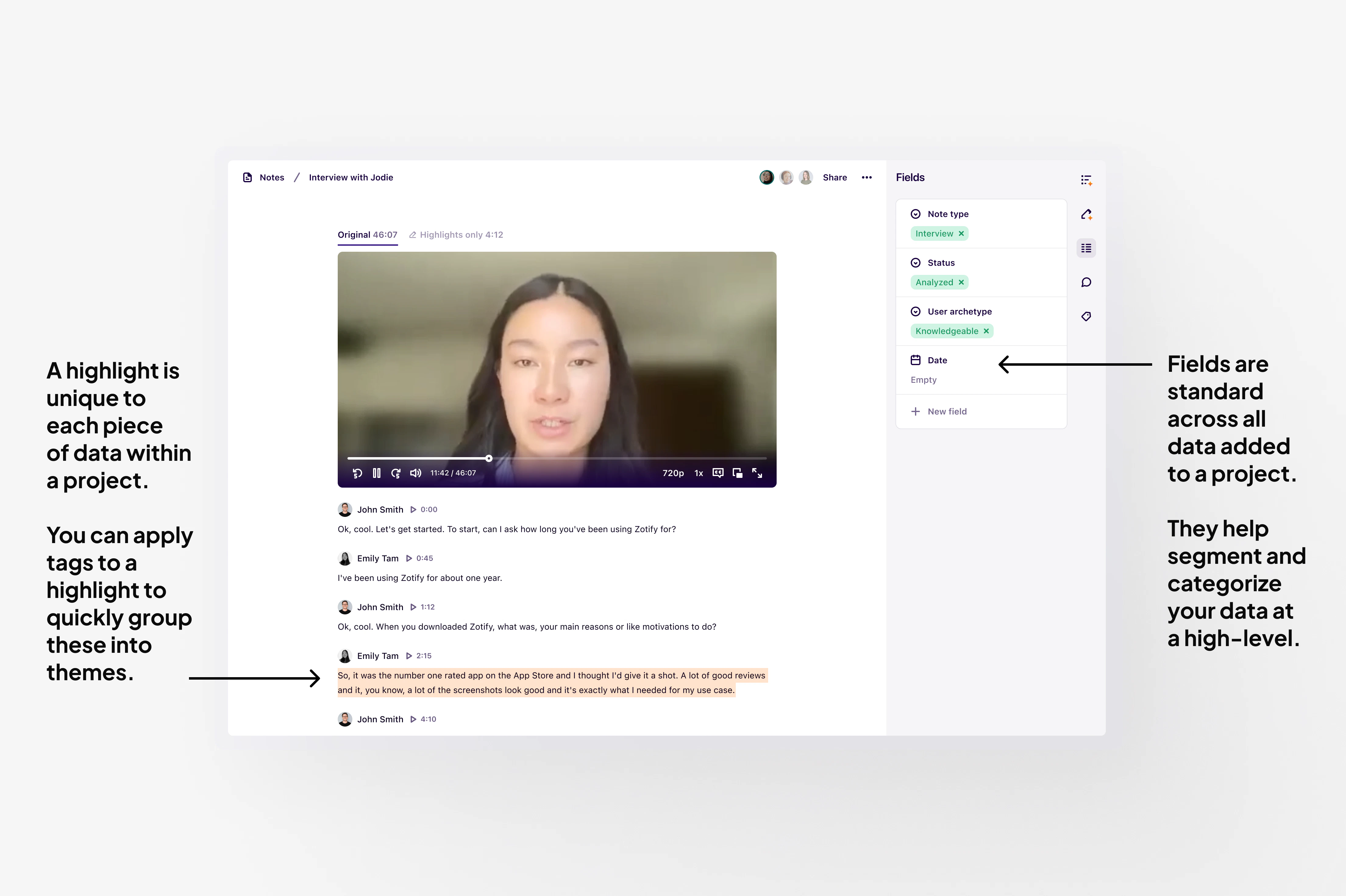
Fields help you capture metadata to organize project data consistently - like spreadsheet headers. All fields have a title and a property.
Fields live on data objects and by default, unique to each project. You can use fields to help segment and categorize whole pieces of data at a high-level.
***
## Difference between a field and a tag
A tag and a field serve different purposes in your raw data. While tags analyze the content of your data, fields describe the data source itself and provide context around it.
* Used to structure and categorize your raw data at a high-level. As a field lives across all data in a project, some examples of information you would capture as a field include the research method used, interview date, usability testing score, segment, and net promoter score.
* Used to group highlights and track themes within a single piece of raw data or across a set of data.
They help you thematically group bite-size information captured within different pieces of data within a project.
 ***
## Create data fields for a project
Data fields are useful for categorizing your raw data by research method, interview date, usability testing scores, segment, net promoter score, and more.
* To add a field to your data, open a note within your project and click `+ New field`.
* From there, you can set a title, select a note field type, and enter a value to the note's field.
* When you add a new field to a note, it will also be added to all other notes in that project. The property added for this field will be unique to the note.
***
## Example of data fields you can use
See table below for some common examples of data fields you could use include to categorize your raw data in projects.
| **Field title** | **Field type** | **Field value examples** |
| :--------------- | :--------------------- | :----------------------------- |
| Data | Single select | Interview, Survey, Document |
| Persona | Single or multi-select | |
| Region or Market | Single select | APAC, EMEA, AMER |
| Interview stage | Single select | Scheduled, Conducted, Analyzed |
| Interview round | Single select | Round 1, Round 2, Round 3 |
***
## Create data fields for a project
Data fields are useful for categorizing your raw data by research method, interview date, usability testing scores, segment, net promoter score, and more.
* To add a field to your data, open a note within your project and click `+ New field`.
* From there, you can set a title, select a note field type, and enter a value to the note's field.
* When you add a new field to a note, it will also be added to all other notes in that project. The property added for this field will be unique to the note.
***
## Example of data fields you can use
See table below for some common examples of data fields you could use include to categorize your raw data in projects.
| **Field title** | **Field type** | **Field value examples** |
| :--------------- | :--------------------- | :----------------------------- |
| Data | Single select | Interview, Survey, Document |
| Persona | Single or multi-select | |
| Region or Market | Single select | APAC, EMEA, AMER |
| Interview stage | Single select | Scheduled, Conducted, Analyzed |
| Interview round | Single select | Round 1, Round 2, Round 3 |