> ## Documentation Index
> Fetch the complete documentation index at: https://docs.dovetail.com/llms.txt
> Use this file to discover all available pages before exploring further.
# Channels 1.0
> The original Channels experience, which groups data points into themes under topics. Channels created before 2.0 continue to run on it.
This page documents the original Channels experience. Channels created before 2.0 continue to run on it. New channels use [Channels 2.0](/help/channels), where themes are replaced by ranked **Ideas** and the underlying data points are called **Evidence**.
 Only paid seats can create and manage channels. **Viewers** will **not** be able to connect a data source to a Channel
## Overview
Channels turn continuous, high-volume customer feedback into something your team can act on. Bring your support tickets, product reviews, survey responses, and sales conversations into one place, and let Dovetail make sense of it as the data arrives.
***
## How Channels 1.0 works
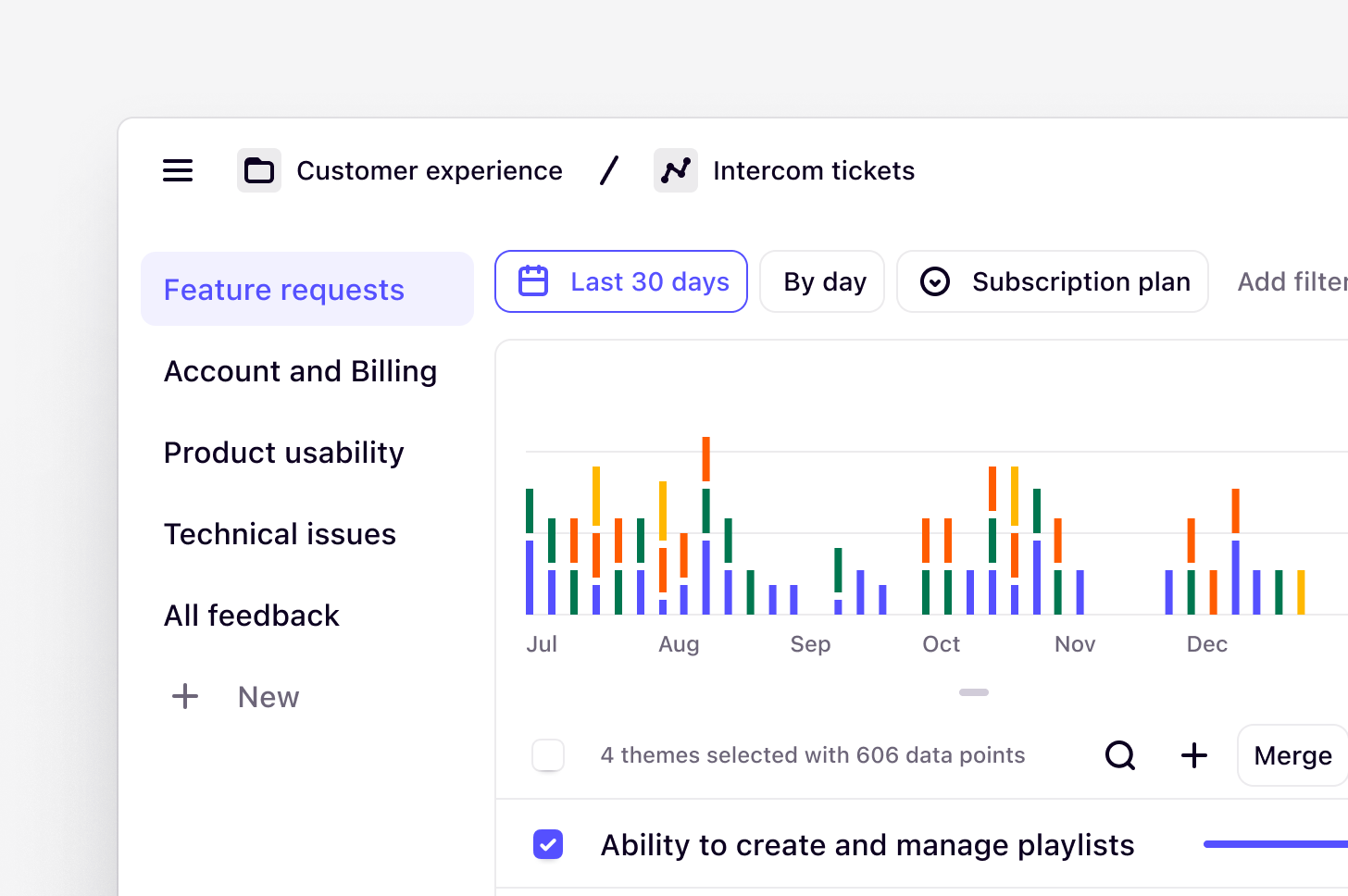
Channels continuously classifies and tracks themes in large data sets. This is done by connecting to your feedback sources with direct integrations to keep your finger on the pulse of high-volume customer feedback and gain real-time insights.
Channels is powered by generative AI. We build upon established technology from [Anthropic](https://dovetail.com/blog/powering-our-latest-ai-innovation-with-aws-and-anthropic/), ensuring reliability and privacy, and utilize [specific models](https://dovetail.com/help/ai-models/) to manage large data sets efficiently without training on your sensitive data.
Themes are generated from the individual data points imported into a channel. A data point is a single piece of feedback that is imported to a channel in Dovetail. It could be a support ticket, an NPS response, or any kind of continuous product feedback. A theme is a collection of data points with a title.
All workspaces on any plan can import up to 1,000 data points per month, and additional data points can be purchased by [contacting our Sales team](https://dovetail.com/contact-sales/).
***
## Create a new channel
**Managers** and **Contributors** can create a new channel sidebar under Home or Browse pages. You can create a channel to track themes in support tickets, CSAT/NPS responses, churn responses, app store reviews, and in-product reviews.
* To do this, click `New` and select `Channel`.
* From there, [import data](/help/channels/channel-setup) via a first-party integration, Zapier, or the [API](/integrations/dovetail-api). These options will automatically sync data into your channel. You can also import a CSV manually.
***
## Add context to guide AI
In a channel, Dovetail generates high-level topics to organize and refine key themes from your data. You can enhance AI-driven topic generation by adding context.
When creating a new channel, you will be instructed to provide details such as your role, specific goals, or key focus areas to create dynamic, tailored topics that align with what you’re interested in.
* To do this, in the textbox under **Context,** enter your details as a prompt. For better results, you can also refine your prompt using `Enhance context`.
* Next, your channel will generate and our AI will surface a list of auto-generated topics and descriptions based on your imported data and context.
You can update or edit context anytime within a channel. Simply open the channel, click `•••` in the top-right corner, and select `Context`. Enter your details as a prompt, hit `Save`, and let the AI generate topics that focus on what truly matters to you. Updating this will only affect future classification.
When adding context to a channel:
1. Highlight the top 2–3 goals that apply across all the data. Keep it concise and under 10,000 characters.
2. Prompt using natural language and have a meaningful and quick-to-understand structure.
3. We recommend to keep it relatively broad. For example, if you go too granular to say “Missing features about intuitive navigation”, you might miss out on other “Missing features” that could be interesting or have to compensate by prompting with more text than necessary.
For example:
*I am a Product Manager interested in feedback related to product intuitiveness in these product reviews. Highlight points where users felt confused, lost, or unsure how to proceed. Include any suggestions for improving clarity, flow, or ease of use.*
***
## Create a topic, category, or area of interest
You can also add your own custom category, topic, or area of interest to organize themes and track what’s important to you. For a Channel, you can create up to ten topics in total that can be updated at any time.
* To do this, select `+ New` in the sidebar.
* Next, add a title and a brief description to help guide how we generate themes and classify data points.
* From there, click `Create`. Once created, we will create new themes and classify any existing and new data points into these.
You can also remove a topic from your channel if it is no longer needed. When removed, this will also remove any themes created within it. Data points classified under these themes will remain in your Channel.
* To delete a topic from your Channel, hover over your topic in the sidebar, click `••• `then select `Move to trash`.
***
## Merge, edit, and create themes
You’re always in control of your data. Once themes have been generated, you can merge any that are overlapping, edit to refine the title, or create your own if something was missed!
### Merge themes
* To merge themes, simply select multiple themes and press `Merge` from the top of the theme table.
### Edit themes
* To edit a theme, select the ... menu next to the theme name and, select `Edit`. You will see a dialogue box where you can change the theme title and description. Press Save when done.
### Create a theme
* To create new themes and keep track of what’s relevant to you, click `+` New in the sidebar or on the themes list.
* From there, enter the theme name and description to help guide data classification and theme detection.
## Reconfigure meta-data fields
Rename and change your meta-data fields
***
## Manage data sources for a channel
You can add, disconnect, or **permanently delete** data sources within a channel at any time.
### Add an additional data source
* To add an additional data source to a channel, open your channel and click on `Source` in the top right of the screen.
* From there, you will be able to see which sources are connected to your channel as well as connect a new source. Select `Add source` and complete steps to connect a new integration or import a CSV spreadsheet of new data to your channel.
### Disconnect a data source
* Open the channel and go to the `Source`dialogue.
* Find the source you want to disconnect, click `More actions`
* Select `disconnect` and confirm the action.
If you wish to reconnect a data source, ingestion will resume from the earliest data point within your current billing period.
**Please note** that only *integrations* can be disconnected. For CSV uploads, you may delete specific entries or the entire upload to remove the data from your channel.
### Delete a data source
To permanently remove a data source and all its associated data from a channel:
* Open the channel and click `Source` in the top right.
* Find the source you want to remove and click `More actions`
* Select **Delete** and confirm the action.
This action is permanent and cannot be undone. Deleting a source removes its data from this channel only; data in other connected channels remains intact.
***
### Reconnect a data source
To reconnect your integration within a Channel:
1. **Open your channel** and click **Source** in the top right
2. You’ll see which sources are connected and disconnected
3. Select **Add source** to reconnect your integration
Alternatively, you can also select 'Reconnect’ in the yellow banner that might appear if it’s been disconnected.
Things to keep in mind:
* Make sure your account has proper permissions to access both the integration platform and the specific Dovetail channel
* Verify your credentials are correct
* When you reconnect, it will resume syncing from the earliest data point within your current billing period
***
## Track usage across channels
Channels is billed by the total number of data points used in all channels across a single workspace. To help you keep on top of your team’s usage, you can quickly review how much data has been used for an entire workspace.
**From inside a channel:**
1. Open any channel in your workspace.
2. Click on `source` next to `Share` in the channel header.
3. In the Sources dialog, you’ll see a **Workspace usage** card showing:
* Your current billing period (e.g., "1 Jun – 1 Jul 2026")
* Total data points used and your plan limit (e.g., "4,521 of 10,000 data points")
* A progress bar showing usage percentage (or **Unlimited** if your plan includes unlimited data points for Channels.)
* A breakdown of how many data points belong to the current channel vs. other channels
**As a workspace admin:**
Only paid seats can create and manage channels. **Viewers** will **not** be able to connect a data source to a Channel
## Overview
Channels turn continuous, high-volume customer feedback into something your team can act on. Bring your support tickets, product reviews, survey responses, and sales conversations into one place, and let Dovetail make sense of it as the data arrives.
***
## How Channels 1.0 works
Channels continuously classifies and tracks themes in large data sets. This is done by connecting to your feedback sources with direct integrations to keep your finger on the pulse of high-volume customer feedback and gain real-time insights.
Channels is powered by generative AI. We build upon established technology from [Anthropic](https://dovetail.com/blog/powering-our-latest-ai-innovation-with-aws-and-anthropic/), ensuring reliability and privacy, and utilize [specific models](https://dovetail.com/help/ai-models/) to manage large data sets efficiently without training on your sensitive data.
Themes are generated from the individual data points imported into a channel. A data point is a single piece of feedback that is imported to a channel in Dovetail. It could be a support ticket, an NPS response, or any kind of continuous product feedback. A theme is a collection of data points with a title.
All workspaces on any plan can import up to 1,000 data points per month, and additional data points can be purchased by [contacting our Sales team](https://dovetail.com/contact-sales/).
***
## Create a new channel
**Managers** and **Contributors** can create a new channel sidebar under Home or Browse pages. You can create a channel to track themes in support tickets, CSAT/NPS responses, churn responses, app store reviews, and in-product reviews.
* To do this, click `New` and select `Channel`.
* From there, [import data](/help/channels/channel-setup) via a first-party integration, Zapier, or the [API](/integrations/dovetail-api). These options will automatically sync data into your channel. You can also import a CSV manually.
***
## Add context to guide AI
In a channel, Dovetail generates high-level topics to organize and refine key themes from your data. You can enhance AI-driven topic generation by adding context.
When creating a new channel, you will be instructed to provide details such as your role, specific goals, or key focus areas to create dynamic, tailored topics that align with what you’re interested in.
* To do this, in the textbox under **Context,** enter your details as a prompt. For better results, you can also refine your prompt using `Enhance context`.
* Next, your channel will generate and our AI will surface a list of auto-generated topics and descriptions based on your imported data and context.
You can update or edit context anytime within a channel. Simply open the channel, click `•••` in the top-right corner, and select `Context`. Enter your details as a prompt, hit `Save`, and let the AI generate topics that focus on what truly matters to you. Updating this will only affect future classification.
When adding context to a channel:
1. Highlight the top 2–3 goals that apply across all the data. Keep it concise and under 10,000 characters.
2. Prompt using natural language and have a meaningful and quick-to-understand structure.
3. We recommend to keep it relatively broad. For example, if you go too granular to say “Missing features about intuitive navigation”, you might miss out on other “Missing features” that could be interesting or have to compensate by prompting with more text than necessary.
For example:
*I am a Product Manager interested in feedback related to product intuitiveness in these product reviews. Highlight points where users felt confused, lost, or unsure how to proceed. Include any suggestions for improving clarity, flow, or ease of use.*
***
## Create a topic, category, or area of interest
You can also add your own custom category, topic, or area of interest to organize themes and track what’s important to you. For a Channel, you can create up to ten topics in total that can be updated at any time.
* To do this, select `+ New` in the sidebar.
* Next, add a title and a brief description to help guide how we generate themes and classify data points.
* From there, click `Create`. Once created, we will create new themes and classify any existing and new data points into these.
You can also remove a topic from your channel if it is no longer needed. When removed, this will also remove any themes created within it. Data points classified under these themes will remain in your Channel.
* To delete a topic from your Channel, hover over your topic in the sidebar, click `••• `then select `Move to trash`.
***
## Merge, edit, and create themes
You’re always in control of your data. Once themes have been generated, you can merge any that are overlapping, edit to refine the title, or create your own if something was missed!
### Merge themes
* To merge themes, simply select multiple themes and press `Merge` from the top of the theme table.
### Edit themes
* To edit a theme, select the ... menu next to the theme name and, select `Edit`. You will see a dialogue box where you can change the theme title and description. Press Save when done.
### Create a theme
* To create new themes and keep track of what’s relevant to you, click `+` New in the sidebar or on the themes list.
* From there, enter the theme name and description to help guide data classification and theme detection.
## Reconfigure meta-data fields
Rename and change your meta-data fields
***
## Manage data sources for a channel
You can add, disconnect, or **permanently delete** data sources within a channel at any time.
### Add an additional data source
* To add an additional data source to a channel, open your channel and click on `Source` in the top right of the screen.
* From there, you will be able to see which sources are connected to your channel as well as connect a new source. Select `Add source` and complete steps to connect a new integration or import a CSV spreadsheet of new data to your channel.
### Disconnect a data source
* Open the channel and go to the `Source`dialogue.
* Find the source you want to disconnect, click `More actions`
* Select `disconnect` and confirm the action.
If you wish to reconnect a data source, ingestion will resume from the earliest data point within your current billing period.
**Please note** that only *integrations* can be disconnected. For CSV uploads, you may delete specific entries or the entire upload to remove the data from your channel.
### Delete a data source
To permanently remove a data source and all its associated data from a channel:
* Open the channel and click `Source` in the top right.
* Find the source you want to remove and click `More actions`
* Select **Delete** and confirm the action.
This action is permanent and cannot be undone. Deleting a source removes its data from this channel only; data in other connected channels remains intact.
***
### Reconnect a data source
To reconnect your integration within a Channel:
1. **Open your channel** and click **Source** in the top right
2. You’ll see which sources are connected and disconnected
3. Select **Add source** to reconnect your integration
Alternatively, you can also select 'Reconnect’ in the yellow banner that might appear if it’s been disconnected.
Things to keep in mind:
* Make sure your account has proper permissions to access both the integration platform and the specific Dovetail channel
* Verify your credentials are correct
* When you reconnect, it will resume syncing from the earliest data point within your current billing period
***
## Track usage across channels
Channels is billed by the total number of data points used in all channels across a single workspace. To help you keep on top of your team’s usage, you can quickly review how much data has been used for an entire workspace.
**From inside a channel:**
1. Open any channel in your workspace.
2. Click on `source` next to `Share` in the channel header.
3. In the Sources dialog, you’ll see a **Workspace usage** card showing:
* Your current billing period (e.g., "1 Jun – 1 Jul 2026")
* Total data points used and your plan limit (e.g., "4,521 of 10,000 data points")
* A progress bar showing usage percentage (or **Unlimited** if your plan includes unlimited data points for Channels.)
* A breakdown of how many data points belong to the current channel vs. other channels
**As a workspace admin:**
Admins can also view usage from `Settings `**>** `Billing`, which shows the same data point consumption as a progress bar alongside your plan details.
Please note that deleting a data source from a channel will not reduce your total data points usage count. Any data previously ingested still counts toward your usage limit for that billing period.
***
## FAQs
When creating your own topics:
* Use clear wording that immediately conveys the high-level category
* Keep titles concise (2-3 words when possible)
* Use customer language rather than internal jargon
* Avoid overlapping categories that could confuse classification
* Use consistent naming patterns across similar topics
**Good examples** include "Mobile App Performance", "Billing and Payment Issues", "Feature Requests ", "Onboarding Confusion"
**Avoid example**s like "Technical problems with updating the software" (too granular), "Issues" (too broad), "Stuff about our platform" (unclear)
With each topic created, you will need to add a description. For these, we recommend that you:
* Explain the theme’s scope clearly in 1-2 sentences
* Use keywords that customers might actually use
* Guide the AI on what to look for and what to exclude
* Keep under 200 characters for optimal performance
* Include specific examples but make sure the example and expectation matches the the most common meaning in general English
Once you reach the usage limit for the month, no new data points will appear in your channel. You can continue to access all data that has been imported previously, move data points, and update the themes list.
This also means that there will be no extra charges for overages and if necessary, you can choose to upgrade your data usage for your plan.
The usage period resets every month from the workspace original **billing date**. This is applicable for subscriptions billed on both a monthly and yearly cycle.
Yes. Workspace admins can increase or decrease the amount of data points included in your plan by accessing ⚙️ [**Settings**](https://dovetail.com/settings/billing) → [**Billing**](https://dovetail.com/settings/billing). For more information, see our article [here](https://dovetail.com/help/update-your-subscription/#add-or-reduce-data-point-limit-for-channels). If the option to increase your data points is unavailable, please **[contact our Sales team](https://dovetail.com/contact-sales/).**
There are a few important things you will need to know before upgrading or downgrading your Channels add-on:
* If you upgrade in the **current billing cycle**, the new limit will apply immediately, and data points in the current cycle will be imported and analyzed in Channels (up to the new limit).
* If you upgrade in the **next billing cycle**, only the data points that come in during the new cycle will appear in Channels. You will lose the data points from the previous cycle that were not imported.
* When downgrading and decreasing your limit, the new limit will apply immediately and no new data will appear in Channels. Any historical data will still be available.
No, you cannot export data from a channel like regular project data. This includes imported data points, generated themes, or generated summaries.
For details on your data, see Responsible Use on [Dovetail AI features](https://dovetail.com/help/ai-features/).
The current **Artificial intelligence development policy** in our [trust center](https://trust.dovetail.com/) is still relevant and covers what is required to use channels.
*Disconnecting* a source pauses the flow of new data but keeps existing data in your channel. *Deleting* a source permanently removes all previously imported data for that source from the specific channel.
CSV files don’t automatically re-sync or reprocess in the background. Instead, reclassification is mostly triggered by specific events, such as:
* Importing new data from a CSV
* Creating or updating topics/themes
In addition, theme regeneration can only run if:
* At least \~24 hours have passed since the last run, **and**
* More than 200 new datapoints have been added
**200 data points** are the minimum required to generate a theme.
Please make sure you are occupying a paid seat when connecting or reconnecting a Channel. Viewers cannot create or manage data sources within a Channel.
When a Channel integration disconnects due to an expired OAuth token or revoked access, Dovetail notifies you in three ways:
**Email notification** Dovetail sends an email using the "Channel Integration Disconnected" template. It includes the integration type and the reason for disconnection, so you know exactly what happened and what to do next.
**In-app notification** A notification appears in your notification center. For ingestion failures specifically, an error toast also displays so you’re alerted immediately.
**Reconnect banner in the Channel UI** When you visit the Channel page, a "Reconnect Integration" banner appears at the top if the integration needs re-authentication. The Sources dialog also shows a "Disconnected" badge alongside a reconnect action for any affected sources.
To restore the connection, follow the reconnect prompt in the Channel UI or re-authenticate via the Sources dialog.
To restore deleted topics or themes:
1. Open the channel
2. Navigate to the Channel **⋯** menu → Open trash
3. Choose from which tab to restore from: Data points, Themes, or Topics
***
## Defining topic names and descriptions
While you can utilize the Dovetail generated topics and descriptions, you are always able to adjust the both the topic names and/or the descriptions (or add your own).
### Topic name best practices
* Use clear wording that immediately conveys the high-level category
* Keep titles concise (2-3 words when possible)
* Use customer language rather than internal jargon
* Avoid overlapping categories that could confuse classification
* Use consistent naming patterns across similar topics
Good Examples:
* "Mobile App Performance"
* "Billing Issues"
* "Feature Requests"
* "Onboarding Confusion"
Bad Examples:
* "Technical probelms with updating the software" (too granular)
* "Issues" (too broad)
* "Stuff about our platform" (unclear)
### Topic description best practices
* Explain the theme’s scope clearly in 1-2 sentences
* Use keywords that customers might actually use
* Guide the AI on what to look for and what to exclude
* Keep under 200 characters for optimal performance
* Include specific examples but make sure the example and expectation matches the most common meaning in general English
***
## Examples
Below you will find Context and Topic descriptions examples for six of the most common types of data customers
### **Context Examples**
**Customer Experience Manage**r: I am a Customer Experience Manager analyzing NPS and CSAT responses to understand what drives customer satisfaction and loyalty. Help me identify the key factors that create promoters versus detractors, understand specific touch-points that impact satisfaction scores, and discover actionable insights for improving overall customer experience. Focus on both positive experiences we should amplify and negative experiences we need to address.
**Product Manager**: I am a Product Manager using NPS/CSAT feedback to guide product strategy. I want to understand which product features and experiences most strongly correlate with customer satisfaction. Highlight specific product strengths that drive positive scores and pain points that create detractors. Include any suggestions for product improvements or new features that could increase satisfaction.
**Multi-team**: We are Product, Marketing, and Customer Success teams jointly analyzing customer satisfaction feedback to drive company-wide improvements. We want to understand satisfaction drivers across the entire customer journey, identify both product and service factors that impact scores, and discover insights for improving customer experience, product development, and go-to-market strategies. Focus on actionable insights that can inform product roadmaps, marketing messaging, and customer success programs.
### **Topic Description Examples**
| Topic Name | Description |
| ---------------------------- | ---------------------------------------------------------------------------------------------------------------------------------------------------------------------------------------------------- |
| **Product Ease of Use** | Feedback about how intuitive, simple, or complex customers find the product. Includes comments about user interface clarity, workflow efficiency, and learning curve experiences. |
| **Customer Support Quality** | Experiences with our support team including response times, helpfulness, knowledge level, and overall satisfaction with support interactions. Covers both positive and negative support experiences. |
| **Value for Money** | Perceptions about pricing fairness, ROI, cost-benefit analysis, and whether customers feel they’re getting good value. Includes comparisons to competitor pricing and budget concerns. |
| **Product Reliability** | Comments about system uptime, stability, consistent performance, and trustworthiness. Includes feedback about bugs, crashes, and technical reliability issues. |
| **Feature Completeness** | Feedback about whether the product meets customer needs, missing functionality, and gaps in capabilities. Includes requests for additional features and comparisons to competitor offerings. |
### **Context Examples**
**Mobile Product Manager**: I am a Mobile Product Manager analyzing app store reviews to improve our mobile experience. I want to understand user frustrations with app functionality, performance issues, and usability problems. Highlight specific features that users love or hate, technical issues affecting user experience, and suggestions for mobile-specific improvements. Focus on both iOS and Android feedback patterns.
**Marketing Manager**: I am a Marketing Manager reviewing app store feedback to understand our market positioning and user perception. Help me identify what users say about our value proposition, how we compare to competitors mentioned in reviews, and what messaging resonates with different user segments. Include insights about user expectations and how well we meet them.
**Customer Success**: I am a Customer Success professional using app reviews to understand user onboarding and engagement challenges. I want to identify where new users struggle with the app, what causes users to abandon or uninstall, and what drives long-term engagement. Focus on the user journey from download to active usage and retention factors.
### Topic Description Examples
| Topic Name | Description |
| ----------------------------- | --------------------------------------------------------------------------------------------------------------------------------------------------------------------------------------------------- |
| **App Performance Issues** | Reviews mentioning crashes, slow loading, freezing, battery drain, storage usage, or other technical performance problems. Includes both specific error reports and general performance complaints. |
| **User Interface Feedback** | Comments about app design, navigation, layout, visual appeal, and usability. Includes both positive design praise and suggestions for interface improvements. |
| **Feature Functionality** | Reviews about specific app features working or not working as expected. Includes feature-specific bugs, missing functionality, and requests for feature improvements. |
| **Onboarding Experience** | First-time user experiences including app setup, tutorial quality, initial confusion, and ease of getting started. Covers both smooth onboarding experiences and setup difficulties. |
| **Update and Version Issues** | Problems introduced in new app versions, complaints about forced updates, or positive feedback about improvements in recent releases. Includes version-specific bugs and changes. |
### Context Examples
**Product Manager**: I am a Product Manager reviewing support tickets to prioritize product improvements. Help me identify which product features or workflows generate the most confusion or frustration for users. Highlight specific usability issues, missing functionality, and areas where customers struggle to accomplish their goals. Include any feature requests or suggestions for product enhancements.
**Support Team**: I am a Support Team Lead analyzing ticket patterns to optimize our support processes. I want to understand common customer issues, identify knowledge gaps in our documentation, and find opportunities to improve our response efficiency. Focus on categorizing issues by complexity and identifying trends that could inform our training and resource allocation.
**Multi-team**: We are a cross-functional team (Product, Customer Success, and Support) analyzing support tickets to improve overall customer experience. We want to identify product issues that drive support volume, understand customer success opportunities, and optimize support processes. Focus on categorizing issues by root cause (product, process, or customer education), impact on customer satisfaction, and opportunities for proactive improvement across all team functions.
### **Topic Description Examples**
| Topic Name | Description |
| ------------------------- | ------------------------------------------------------------------------------------------------------------------------------------------------------------------------------------------------------ |
| **Authentication Issues** | Login problems, password reset failures, two-factor authentication issues, and account lockouts. Includes both technical authentication errors and user confusion about login processes. |
| **Integeration Problems** | Issues connecting our product with third-party tools, API errors, sync failures, and data import/export problems. Covers both technical integration failures and setup difficulties. |
| **Billing Inquiries** | Questions about charges, invoice discrepancies, payment method issues, subscription changes, and refund requests. Includes both billing errors and billing process confusion. |
| **Feature Not Working** | Reports of specific product features that are broken, not responding, or producing unexpected results. Focus on functionality that should work but doesn’t. |
| **How-to questions** | Requests for help understanding how to use existing features, step-by-step guidance, and clarification about product capabilities. Covers learning and usage questions rather than technical problems. |
### Context Examples
**UX Research**: I am a UX Researcher analyzing product feedback to understand user experience patterns. I want to identify usability issues, workflow frustrations, and areas where users struggle to accomplish their goals. Highlight specific interface problems, confusing interactions, and suggestions for improving user flows. Include both functional issues and emotional responses to the product experience.
**Product Strategy**: I am a Product Strategist using customer feedback to inform long-term product direction. Help me identify emerging user needs, changing usage patterns, and strategic opportunities for product evolution. Focus on broader themes about customer goals, market trends, and potential new product directions rather than specific feature requests.
**Customer Success**: I am a Customer Success Manager reviewing product feedback to improve customer onboarding and adoption. I want to understand where customers get stuck, what features drive the most value, and how to help users achieve success faster. Highlight common learning curves, feature discovery issues, and factors that lead to increased product engagement.
### Topic Description Examples
| Topic Name | Description |
| ------------------------------- | -------------------------------------------------------------------------------------------------------------------------------------------------------------------------------------------- |
| **Feature Requests** | Suggestions for new functionality, enhancements to existing features, and requests for product capabilities. Focus on primary product features. |
| **Workflow Improvements** | Suggestions for streamlining processes, reducing steps, improving efficiency, and enhancing user workflows. Includes feedback about task completion and process optimization. |
| **User Experience Suggestions** | Ideas for improving interface design, navigation, information architecture, and overall user experience. Covers usability improvements and design enhancement suggestions. |
| **Integration Requests** | Requests for connections with specific third-party tools, API improvements, and expanded integration capabilities. Includes both new integration requests and improvements to existing ones. |
| **Documentaton and help** | Feedback about help documentation, tutorials, onboarding materials, and learning resources. Includes requests for better explanations and more comprehensive guidance. |
### Context Examples
**Sales Manager:** I am a Retention Manager analyzing churn feedback to reduce customer attrition. I want to understand the primary reasons customers leave, identify early warning signs of churn risk, and discover opportunities for intervention. Focus on categorizing churn reasons by type (product, service, price, etc.) and understanding what could have prevented each departure.
**Product Manager**: I am a Product Manager reviewing churn reasons to identify product-related retention issues. Help me understand which product limitations or missing features drive cancellations, what competitive alternatives customers choose, and how product experience contributes to churn decisions. Include insights about product-market fit and feature gaps that impact retention.
**Customer Success Leadership**: I am a Customer Success Leader analyzing cancellation feedback to improve our customer journey. I want to understand failure points in onboarding, ongoing support, and value realization that lead to churn. Focus on identifying systemic issues in our customer success processes and opportunities to better demonstrate ongoing value to customers.
### Topic Description Examples
| Topic Name | Description |
| -------------------------- | -------------------------------------------------------------------------------------------------------------------------------------------------------------------------------- |
| **Product Limitations** | Cancellations due to missing features, functionality gaps, or product capabilities that don’t meet customer needs. Includes comparisons to competitors with better feature sets. |
| **Pricing Concerns** | Cancellations related to cost, budget changes, pricing increases, or perception that the product is too expensive for the value provided. Includes price sensitivity feedback. |
| **Technical Issues** | Departures due to ongoing bugs, performance problems, reliability issues, or technical difficulties that couldn’t be resolved. Includes frustration with product stability. |
| **Service Quality Issues** | Cancellations due to poor customer support, account management problems, or negative service experiences. Includes dissatisfaction with company responsiveness or helpfulness. |
| **Business Changes** | Departures due to company restructuring, budget cuts, changing business needs, or strategic shifts that make the product no longer relevant. Includes organizational change. |
### Context Examples
**Product Manager**: I am a Product Manager analyzing product reviews to guide feature development and positioning. I want to understand what customers value most about our product, identify common complaints or limitations, and discover unmet needs that could inform our roadmap. Highlight specific use cases, integration needs, and competitive comparisons mentioned by users.
**Marketing Manager**: I am a Marketing Manager reviewing product feedback to refine our positioning and messaging. Help me understand what benefits customers highlight, what language they use to describe our value, and how they compare us to alternatives. Include insights about different customer segments, use cases, and the specific outcomes customers achieve with our product.
**Multi-team**: We are Product and Marketing teams collaborating to analyze product reviews for both development and positioning insights. We want to understand what customers value most about our product, identify improvement opportunities, and discover messaging that resonates with different customer segments. Focus on feature feedback, competitive positioning, customer language for marketing, and product enhancement opportunities.
### **Topic Description Examples**
| Topic Name | Description |
| ------------------------------- | ---------------------------------------------------------------------------------------------------------------------------------------------------------------------------------------- |
| **Product Quality** | Assessments of build quality, durability, materials, craftsmanship, or software robustness. Includes both positive quality praise and concerns about product construction or reliability |
| **Delivery and Shipping** | Experiences with order fulfillment, shipping speed, packaging quality, delivery accuracy, and logistics. Covers both positive delivery experiences and shipping problems. |
| **Customer Service Experience** | Interactions with sales, support, or service teams including responsiveness, helpfulness, knowledge, and problem resolution. Includes both pre and post-purchase service experiences. |
| **Competitive Comparisons** | Direct comparisons to competitor products, mentions of alternatives considered, and relative positioning feedback. Includes reasons for choosing this product over others or vice versa. |
| **Use Case and Applications** | How customers actually use the product, specific use cases, workflow integration, and practical applications. Includes both intended and creative uses of the product. |