> ## Documentation Index
> Fetch the complete documentation index at: https://docs.dovetail.com/llms.txt
> Use this file to discover all available pages before exploring further.
# Technical overview
 ## What is chat
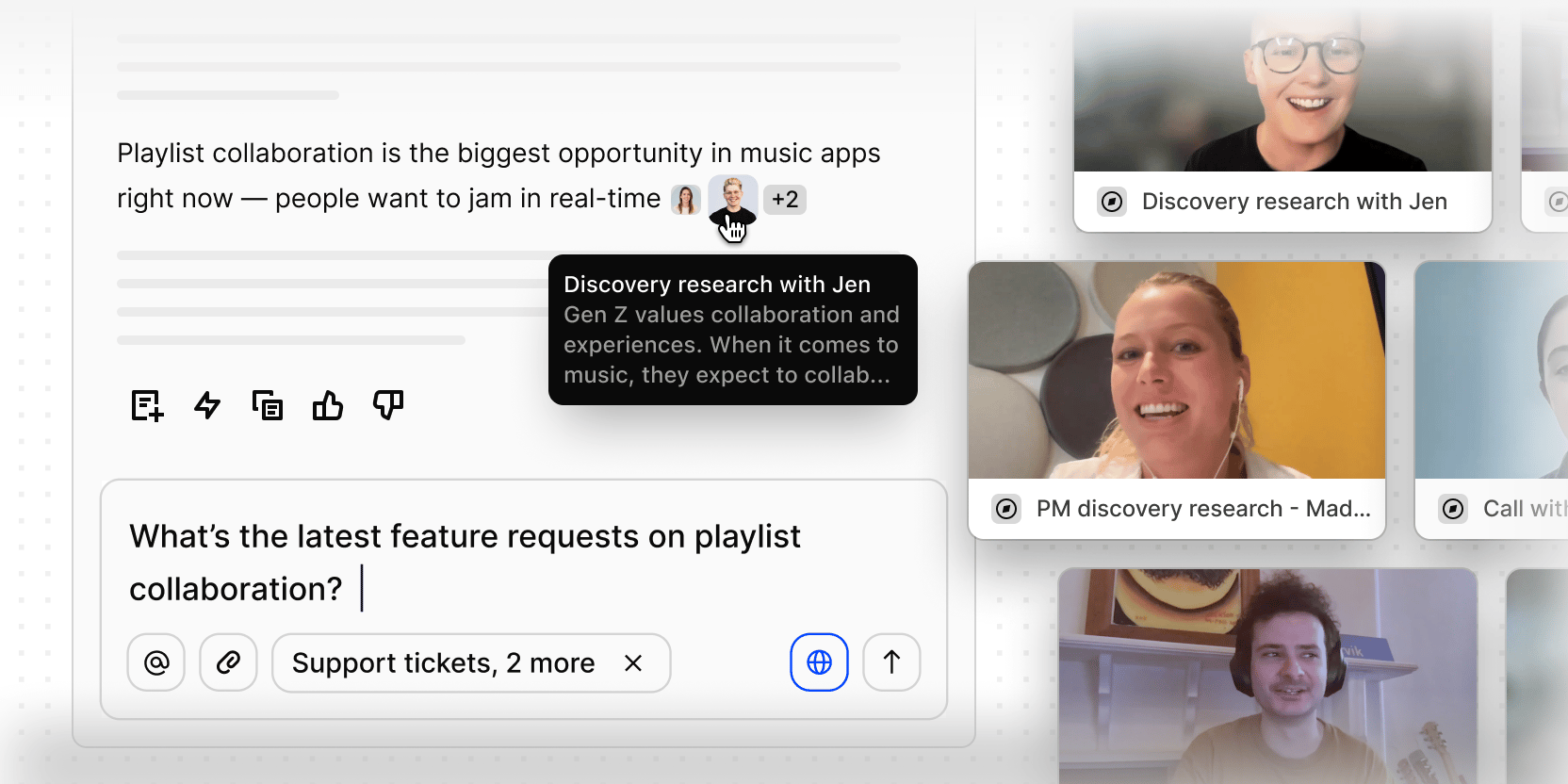
Chat is a context-aware AI agent built into Dovetail. Ask a question, and it searches your workspace data, synthesizes an answer, and cites the sources behind it.
Two things define how Chat behaves: **where you open it** (which determines what it searches) and **what you ask** (which determines how results are ranked and weighted).
## Where Chat gets its context
Every chat session draws from up to four layers of context, combined automatically:
### 1. Workspace-level custom instructions
Admins can configure a global prompt (up to 50,000 characters) that prepends every AI interaction across the entire workspace — Chat, Agents, and Ask Dovetail. Use it to set tone, restrict focus, or define a persona. It's invisible to end users but shapes every response. *(Admin only — configured in Workspace Settings → AI → Custom context)*
### 2. Location context
Where you open Chat determines what's automatically loaded as starting context — before you ask anything.
| Where you open Chat | What's pre-loaded |
| :------------------ | :---------------------------------------------------------------------------------------------------- |
| Workspace | Your name and workspace metadata only — no documents pre-loaded |
| Project | Project title, project overview, description, category, tags, people, custom fields, folder hierarchy |
| Channel | Channel title, the Channel's context field, and a list of themes with summaries |
| Data in projects | Full transcript/content, enriched field data, and survey summary |
| Doc | Full document text |
| Folder | Folder hierarchy and contents summary |
| Multi-select | Combined context from all selected items |
### 3. Workspace context docs
Admins can link existing docs — style guides, business context, persona overviews, product lines, strategy docs, product specs, research summaries, glossaries etc — to give the AI persistent, workspace-specific knowledge. Once linked, the content is processed and injected into the AI's system prompt across every chat surface.
For short content, the raw text is used as-is. For longer docs, the AI distills it into a concise summary so it fits cleanly into context without degrading response quality. Changes to linked docs are picked up automatically — you don't need to re-link after editing.
**Examples of context that would drive better AI responses:**
* **Company and product context** — who you are, what you build, your market position, key terminology
* **Strategy and priorities** — company direction, OKRs, team goals, what's in and out of scope
* **Pricing and packaging** — tier structures, plan names, feature availability by plan
* **Customer and market context** — your ICP, key segments, how you talk about your customers
* **Product domain knowledge** — how your product works, feature definitions, known limitations
* **Brand and tone guidelines** — so AI-drafted content matches your voice
* **Research frameworks and templates** — so AI-generated Docs follow your team's structure
> **Note:** Linked docs don't need to be shared workspace-wide, but if a doc has restricted permissions, only users who have minimum viewer access to the doc will have it applied to their chat context.
### 4. Search results (per question)
Every question triggers a live hybrid search across the location's scope. Results are ranked and injected into context automatically — you don't see this happening, but it's what powers the citations in responses.
## Search scope by location
The scope of each search is determined by where Chat is open. Opening Chat on a Project, for example, limits search to that project's contents — it won't pull in data from elsewhere in the workspace.
| Location | What gets searched |
| :---------------- | :----------------------------------------------------------------------- |
| Workspace Chat | Everything across the entire workspace |
| Project Chat | That project and all its contents — Docs, Project Data, sub-folders |
| Channel Chat | Channel datapoints only |
| Data or Doc Chat | Only that single object — no search runs against other workspace content |
| Folder Chat | Everything within that folder and all its descendants |
| Multi-select Chat | OR'd across all selected scopes |
> **Tip:** You can use `@-mentions` in any chat to bring a specific project, tag, channel, folder, doc, or data item into scope — even if it's outside your current location.
## How Chat weights and decides what's relevant
Every question runs two searches in parallel, then combines the results:
* **Keyword search** — finds documents that contain your exact words or phrases
* **Semantic search** — finds documents that match the meaning of your question, even if the exact words don't appear
Relevance is weighted more heavily than recency, but both matter — when two results are equally relevant, the more recent one wins.
No content type (Data entry, doc, project) is scored higher than another by default — the same relevance and recency formula applies across all Dovetail objects to yield the most accurate results.
### How titles and content are weighted
Not all text in a document carries equal weight. The principles are straightforward:
| Match type | What this means in practice |
| :---------------------- | :------------------------------------------------------------------------------------------------------------------------ |
| Exact phrase in a title | Strongest possible signal — title matches significantly outrank body matches, and multi-word phrases outrank single words |
| Single word in a title | Title matches always outrank the same word found in body content |
| Exact phrase in body | Multi-word phrase matches outrank single-word matches in the same document |
| Single word in body | Baseline — useful, but outranked by all of the above |
### How position within a document affects results
Within a single document, earlier passages rank higher than later ones. If your question matches content near the top of a data entry, that object will rank more strongly than one where the match is buried at the bottom.
### Recency
More recent documents rank higher when relevance is otherwise equal. If you have two data entries in a project that are equally on-topic, the newer one surfaces first. Older data doesn't disappear — it just needs to be more relevant to compete.
### How the search comes together
1. **Two searches run in parallel** — keyword (exact match) and semantic (meaning-based). Longer questions lean more heavily on semantic search; shorter ones balance both.
2. **Results are merged and deduplicated** — if the same document shows up in both searches, it's combined into a single result, not counted twice.
3. **Relevance and recency are combined** — relevance carries more weight, with recency as a tiebreaker.
4. **Top results are injected as context** — ranked highest to lowest, these become the sources Chat draws on to answer your question and generate citations.
## What gets searched and how
Not all object types behave the same way in Chat. Some are directly searchable; some are used for filtering; some are only ever pre-loaded as context.
| Object type | Searchable? | How it's used |
| :------------------------- | :---------------- | :--------------------------------------------------------------------------------------------------------------------------------------------------------- |
| Projects Data | Yes — chunked | Full text searched and cited with source links |
| Docs | Yes — chunked | Full text searched and cited with source links. Human-authored only — AI-generated Docs are excluded by default |
| Channel Datapoints | Yes — chunked | Full text searched and cited with source links |
| Tags | Yes — not chunked | Full tag content searched. Associated project title is included as context alongside the tag |
| Highlights | No | Not directly searchable. Surfaced when their parent Data is retrieved — you can't query highlights independently |
| Custom fields | Filter only | Values are indexed and can narrow which objects are included in results (e.g., Region = APAC). They don't contribute to relevance scoring |
| People | Yes — via name | Ask about a contact by name and Chat returns everything linked to them. The contact record itself is never a citation; the documents connected to them are |
| Segments | Filter only | Descriptions included as context labels. If more than 40 segments are in scope, descriptions are dropped entirely — only labels are kept |
| Folder / project hierarchy | No | Injected as initial context. Shapes the search scope — not searched or cited directly |
> **Note on custom field filtering:** Custom field filtering uses exact text matching — "APAC" matches "APAC," not "Asia Pacific." Date and number fields support range filtering. The top 30 values per field are included in context.
> **AI-generated Docs:** Chat excludes AI-generated Docs from search results by default. Human-authored Docs are always included. The only exception: if you explicitly reference a specific AI Doc by ID in your question, that overrides the exclusion.
### What Chat always excludes
* Archived and deleted documents
* Content you don't have permission to access — Chat respects all existing permissions
* AI-generated Docs (unless explicitly referenced)
* Speaker names (stripped from transcripts before chunking)
* Custom fields with no values
## What is chat
Chat is a context-aware AI agent built into Dovetail. Ask a question, and it searches your workspace data, synthesizes an answer, and cites the sources behind it.
Two things define how Chat behaves: **where you open it** (which determines what it searches) and **what you ask** (which determines how results are ranked and weighted).
## Where Chat gets its context
Every chat session draws from up to four layers of context, combined automatically:
### 1. Workspace-level custom instructions
Admins can configure a global prompt (up to 50,000 characters) that prepends every AI interaction across the entire workspace — Chat, Agents, and Ask Dovetail. Use it to set tone, restrict focus, or define a persona. It's invisible to end users but shapes every response. *(Admin only — configured in Workspace Settings → AI → Custom context)*
### 2. Location context
Where you open Chat determines what's automatically loaded as starting context — before you ask anything.
| Where you open Chat | What's pre-loaded |
| :------------------ | :---------------------------------------------------------------------------------------------------- |
| Workspace | Your name and workspace metadata only — no documents pre-loaded |
| Project | Project title, project overview, description, category, tags, people, custom fields, folder hierarchy |
| Channel | Channel title, the Channel's context field, and a list of themes with summaries |
| Data in projects | Full transcript/content, enriched field data, and survey summary |
| Doc | Full document text |
| Folder | Folder hierarchy and contents summary |
| Multi-select | Combined context from all selected items |
### 3. Workspace context docs
Admins can link existing docs — style guides, business context, persona overviews, product lines, strategy docs, product specs, research summaries, glossaries etc — to give the AI persistent, workspace-specific knowledge. Once linked, the content is processed and injected into the AI's system prompt across every chat surface.
For short content, the raw text is used as-is. For longer docs, the AI distills it into a concise summary so it fits cleanly into context without degrading response quality. Changes to linked docs are picked up automatically — you don't need to re-link after editing.
**Examples of context that would drive better AI responses:**
* **Company and product context** — who you are, what you build, your market position, key terminology
* **Strategy and priorities** — company direction, OKRs, team goals, what's in and out of scope
* **Pricing and packaging** — tier structures, plan names, feature availability by plan
* **Customer and market context** — your ICP, key segments, how you talk about your customers
* **Product domain knowledge** — how your product works, feature definitions, known limitations
* **Brand and tone guidelines** — so AI-drafted content matches your voice
* **Research frameworks and templates** — so AI-generated Docs follow your team's structure
> **Note:** Linked docs don't need to be shared workspace-wide, but if a doc has restricted permissions, only users who have minimum viewer access to the doc will have it applied to their chat context.
### 4. Search results (per question)
Every question triggers a live hybrid search across the location's scope. Results are ranked and injected into context automatically — you don't see this happening, but it's what powers the citations in responses.
## Search scope by location
The scope of each search is determined by where Chat is open. Opening Chat on a Project, for example, limits search to that project's contents — it won't pull in data from elsewhere in the workspace.
| Location | What gets searched |
| :---------------- | :----------------------------------------------------------------------- |
| Workspace Chat | Everything across the entire workspace |
| Project Chat | That project and all its contents — Docs, Project Data, sub-folders |
| Channel Chat | Channel datapoints only |
| Data or Doc Chat | Only that single object — no search runs against other workspace content |
| Folder Chat | Everything within that folder and all its descendants |
| Multi-select Chat | OR'd across all selected scopes |
> **Tip:** You can use `@-mentions` in any chat to bring a specific project, tag, channel, folder, doc, or data item into scope — even if it's outside your current location.
## How Chat weights and decides what's relevant
Every question runs two searches in parallel, then combines the results:
* **Keyword search** — finds documents that contain your exact words or phrases
* **Semantic search** — finds documents that match the meaning of your question, even if the exact words don't appear
Relevance is weighted more heavily than recency, but both matter — when two results are equally relevant, the more recent one wins.
No content type (Data entry, doc, project) is scored higher than another by default — the same relevance and recency formula applies across all Dovetail objects to yield the most accurate results.
### How titles and content are weighted
Not all text in a document carries equal weight. The principles are straightforward:
| Match type | What this means in practice |
| :---------------------- | :------------------------------------------------------------------------------------------------------------------------ |
| Exact phrase in a title | Strongest possible signal — title matches significantly outrank body matches, and multi-word phrases outrank single words |
| Single word in a title | Title matches always outrank the same word found in body content |
| Exact phrase in body | Multi-word phrase matches outrank single-word matches in the same document |
| Single word in body | Baseline — useful, but outranked by all of the above |
### How position within a document affects results
Within a single document, earlier passages rank higher than later ones. If your question matches content near the top of a data entry, that object will rank more strongly than one where the match is buried at the bottom.
### Recency
More recent documents rank higher when relevance is otherwise equal. If you have two data entries in a project that are equally on-topic, the newer one surfaces first. Older data doesn't disappear — it just needs to be more relevant to compete.
### How the search comes together
1. **Two searches run in parallel** — keyword (exact match) and semantic (meaning-based). Longer questions lean more heavily on semantic search; shorter ones balance both.
2. **Results are merged and deduplicated** — if the same document shows up in both searches, it's combined into a single result, not counted twice.
3. **Relevance and recency are combined** — relevance carries more weight, with recency as a tiebreaker.
4. **Top results are injected as context** — ranked highest to lowest, these become the sources Chat draws on to answer your question and generate citations.
## What gets searched and how
Not all object types behave the same way in Chat. Some are directly searchable; some are used for filtering; some are only ever pre-loaded as context.
| Object type | Searchable? | How it's used |
| :------------------------- | :---------------- | :--------------------------------------------------------------------------------------------------------------------------------------------------------- |
| Projects Data | Yes — chunked | Full text searched and cited with source links |
| Docs | Yes — chunked | Full text searched and cited with source links. Human-authored only — AI-generated Docs are excluded by default |
| Channel Datapoints | Yes — chunked | Full text searched and cited with source links |
| Tags | Yes — not chunked | Full tag content searched. Associated project title is included as context alongside the tag |
| Highlights | No | Not directly searchable. Surfaced when their parent Data is retrieved — you can't query highlights independently |
| Custom fields | Filter only | Values are indexed and can narrow which objects are included in results (e.g., Region = APAC). They don't contribute to relevance scoring |
| People | Yes — via name | Ask about a contact by name and Chat returns everything linked to them. The contact record itself is never a citation; the documents connected to them are |
| Segments | Filter only | Descriptions included as context labels. If more than 40 segments are in scope, descriptions are dropped entirely — only labels are kept |
| Folder / project hierarchy | No | Injected as initial context. Shapes the search scope — not searched or cited directly |
> **Note on custom field filtering:** Custom field filtering uses exact text matching — "APAC" matches "APAC," not "Asia Pacific." Date and number fields support range filtering. The top 30 values per field are included in context.
> **AI-generated Docs:** Chat excludes AI-generated Docs from search results by default. Human-authored Docs are always included. The only exception: if you explicitly reference a specific AI Doc by ID in your question, that overrides the exclusion.
### What Chat always excludes
* Archived and deleted documents
* Content you don't have permission to access — Chat respects all existing permissions
* AI-generated Docs (unless explicitly referenced)
* Speaker names (stripped from transcripts before chunking)
* Custom fields with no values