> ## Documentation Index
> Fetch the complete documentation index at: https://docs.dovetail.com/llms.txt
> Use this file to discover all available pages before exploring further.
# Share and organize Docs
 ## Sharing and permissions for Docs
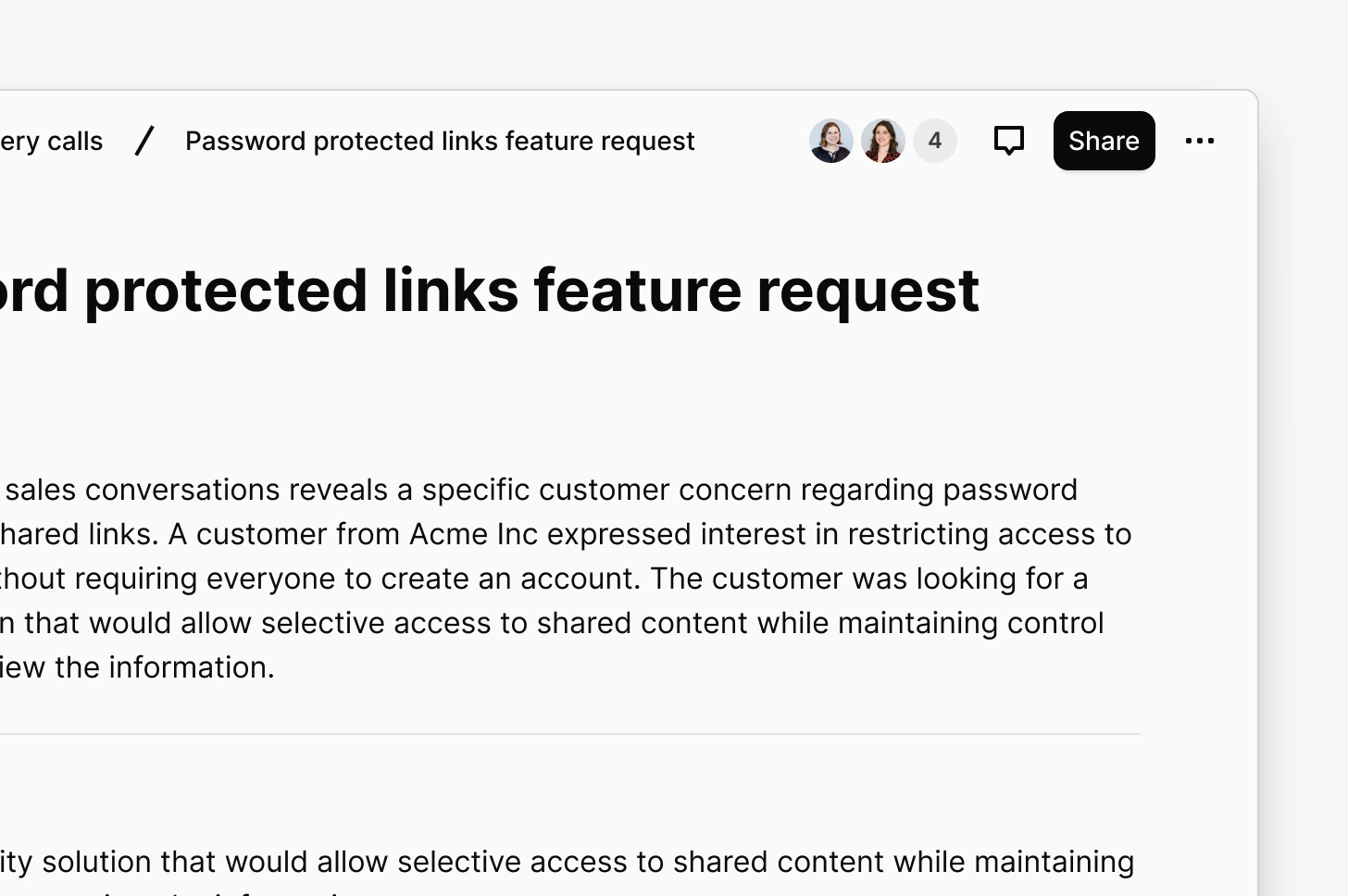
Docs in Dovetail use sharing permissions to control who can see your work. There are no draft or published states. Your doc is only visible to others once you choose to share it.
Doc visibility in chat mirrors your sharing permissions. Your work is only surfaced to the people who have access to it, whether that's just you, a select few, a project team, or your whole workspace.
| Location | Default visibility |
| :--------------- | :--------------------------------- |
| Workspace level | Private, visible to you only |
| Inside a project | Inherits the project's permissions |
To share a doc with your workspace:
1. Open the Doc
2. Click `Share` in the top-right corner
3. Update permissions to share with specific people, groups, or your whole workspace
To keep a doc private while you work, leave the permissions as-is. Workspace docs are private by default until you choose to share them. For project docs, review the project's permissions for anything you are not ready to share.
***
## Present your docs
Once you have a few docs to present to your stakeholders, you can use presentation mode.
### Open Present Mode
1. Navigate to the Doc you want to present.
2. Click the **⋯ (More actions)** menu in the top-right corner.
3. Select **Present**.
A new browser tab will open with your Doc displayed in full-screen presentation mode, ready to share with your audience.
***
### Share docs with those outside the workspace
You can share your Docs with those outside Dovetail by enabling public access to your project. [Learn more about enabling public access to project docs →](https://docs.dovetail.com/help/web-links)
***
## Move or copy a Doc
Workspace-level Docs do not currently support fields. If you require adding fields to a Doc, please move the Doc within a project.
To move a doc to another location:
1. Go to the doc location or open the doc
2. Click the meatball menu ••• in the top right, and choose `Move to`
3. Pick the destination (folder or project)
Permissions will be updated automatically to match the destination.
To copy a doc to another location:
1. Go to the doc location or open the doc
2. Click the meatball menu ••• in the top right, and choose `Copy to`
3. Pick the destination (folder or project)
Use this when you want to reuse templates, structure, or content as a starting point for a new document.
***
## Send doc to Jira and/or Linear
You can send your doc to Jira and/or Linear, helping you share Docs directly with product and development teams, keeping the customer voice tied to what you're building.
To send a Doc to Jira / Linear:
1. Open the Doc
2. Click the meatball menu ••• in the top right
3. Choose **Send to Jira** or **Send to Linear**
4. Follow the prompts
***
## Measure impact with doc metrics
Doc metrics help you capture traction and engagement by providing information on who is engaging with your Docs and how. These metrics are captured per-doc.
* To view a Doc's metrics, open your doc, click the `...` menu, and select `Metrics`.
Currently, doc metrics capture:
| **Metric** | Description |
| :--------------- | :--------------------------------------------------------------- |
| Reached audience | Number of unique accounts that have seen the Doc |
| Doc discovery | Where users discovered the Doc |
| Audience role | Who is accessing the Doc |
| Audience access | What level of access in Dovetail |
| Engagement ratio | Percentage of unique accounts who opened content in the Doc |
| Full page read | Percentage of unique users who scrolled to the bottom of the Doc |
| Most popular | Number of unique users who clicked through a link within a Doc |
For privacy reasons, metrics are only tracked for logged in users. Docs shared using a public access link will not have it's metrics tracked.
## Sharing and permissions for Docs
Docs in Dovetail use sharing permissions to control who can see your work. There are no draft or published states. Your doc is only visible to others once you choose to share it.
Doc visibility in chat mirrors your sharing permissions. Your work is only surfaced to the people who have access to it, whether that's just you, a select few, a project team, or your whole workspace.
| Location | Default visibility |
| :--------------- | :--------------------------------- |
| Workspace level | Private, visible to you only |
| Inside a project | Inherits the project's permissions |
To share a doc with your workspace:
1. Open the Doc
2. Click `Share` in the top-right corner
3. Update permissions to share with specific people, groups, or your whole workspace
To keep a doc private while you work, leave the permissions as-is. Workspace docs are private by default until you choose to share them. For project docs, review the project's permissions for anything you are not ready to share.
***
## Present your docs
Once you have a few docs to present to your stakeholders, you can use presentation mode.
### Open Present Mode
1. Navigate to the Doc you want to present.
2. Click the **⋯ (More actions)** menu in the top-right corner.
3. Select **Present**.
A new browser tab will open with your Doc displayed in full-screen presentation mode, ready to share with your audience.
***
### Share docs with those outside the workspace
You can share your Docs with those outside Dovetail by enabling public access to your project. [Learn more about enabling public access to project docs →](https://docs.dovetail.com/help/web-links)
***
## Move or copy a Doc
Workspace-level Docs do not currently support fields. If you require adding fields to a Doc, please move the Doc within a project.
To move a doc to another location:
1. Go to the doc location or open the doc
2. Click the meatball menu ••• in the top right, and choose `Move to`
3. Pick the destination (folder or project)
Permissions will be updated automatically to match the destination.
To copy a doc to another location:
1. Go to the doc location or open the doc
2. Click the meatball menu ••• in the top right, and choose `Copy to`
3. Pick the destination (folder or project)
Use this when you want to reuse templates, structure, or content as a starting point for a new document.
***
## Send doc to Jira and/or Linear
You can send your doc to Jira and/or Linear, helping you share Docs directly with product and development teams, keeping the customer voice tied to what you're building.
To send a Doc to Jira / Linear:
1. Open the Doc
2. Click the meatball menu ••• in the top right
3. Choose **Send to Jira** or **Send to Linear**
4. Follow the prompts
***
## Measure impact with doc metrics
Doc metrics help you capture traction and engagement by providing information on who is engaging with your Docs and how. These metrics are captured per-doc.
* To view a Doc's metrics, open your doc, click the `...` menu, and select `Metrics`.
Currently, doc metrics capture:
| **Metric** | Description |
| :--------------- | :--------------------------------------------------------------- |
| Reached audience | Number of unique accounts that have seen the Doc |
| Doc discovery | Where users discovered the Doc |
| Audience role | Who is accessing the Doc |
| Audience access | What level of access in Dovetail |
| Engagement ratio | Percentage of unique accounts who opened content in the Doc |
| Full page read | Percentage of unique users who scrolled to the bottom of the Doc |
| Most popular | Number of unique users who clicked through a link within a Doc |
For privacy reasons, metrics are only tracked for logged in users. Docs shared using a public access link will not have it's metrics tracked.