> ## Documentation Index
> Fetch the complete documentation index at: https://docs.dovetail.com/llms.txt
> Use this file to discover all available pages before exploring further.
# User profiles
 Available on [**Professional and Enterprise plans**](https://dovetail.com/pricing/)
All role types can view other user profiles in your workspace
## Overview
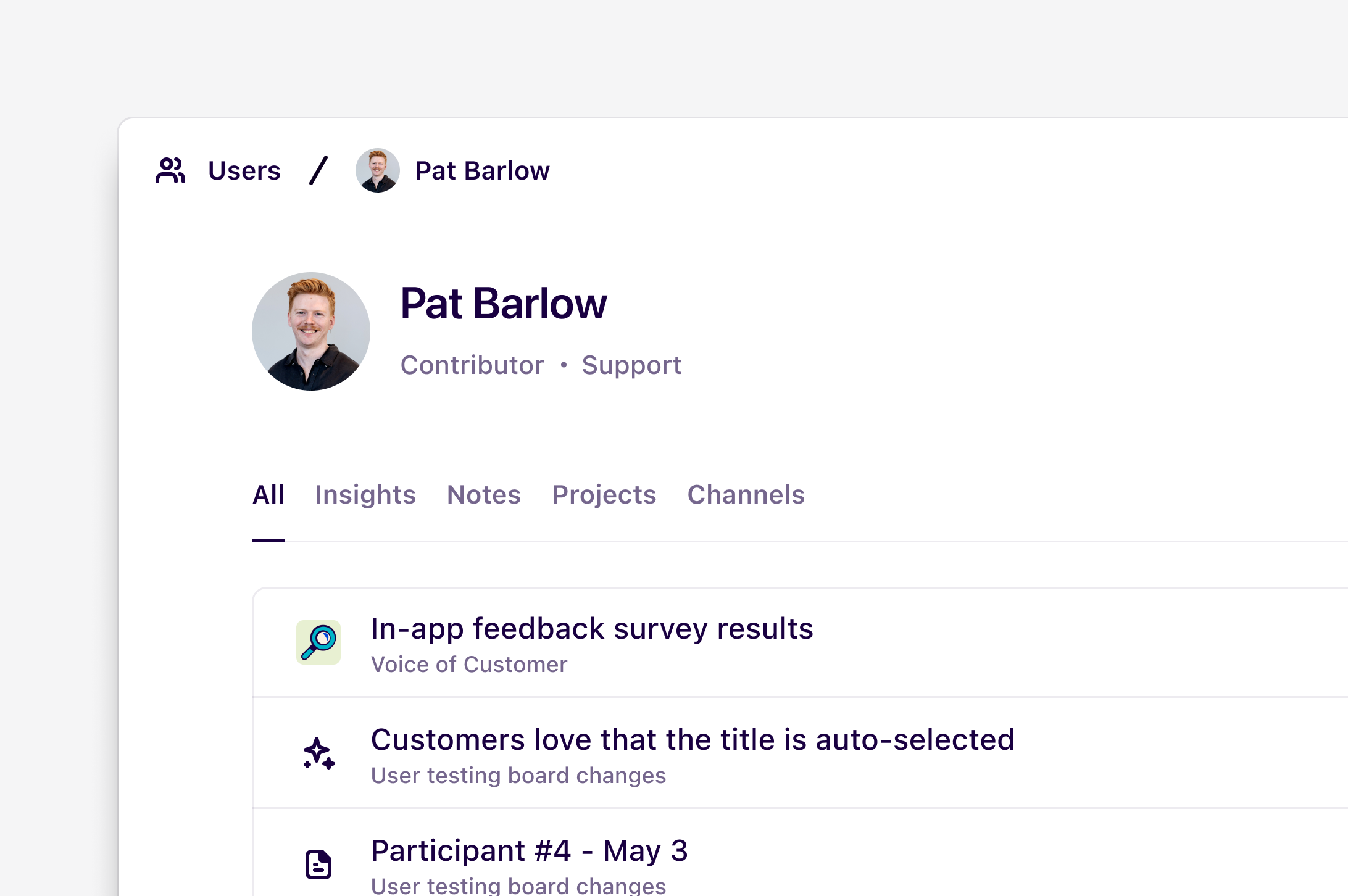
Everyone in your workspace has a user profile that displays what docs, notes, projects, and channels they’ve recently contributed to. You can view other users’ profiles and follow them to receive notifications when they publish new docs.
A user’s profile includes:
* The user’s name and profile picture
* Their job title and role
* A list of docs, notes, projects, and channels they have contributed to recently. A contribution can include edits and comments
***
## View a user’s profile
To view the profile of another user in your workspace, click on their profile picture or navigate to [**Settings → Users**](https://dovetail.com/settings/users) and click on their name.
***
## Follow a user
By following a user, you can receive personal notifications when they contribute new data or publish new docs. To follow a user, navigate to their user profile and click on the bell icon located at the top right corner.
You can view and manage notification settings for users by navigating to [**Settings → Notifications → Following**](https://dovetail.com/settings/user/notifications).
Available on [**Professional and Enterprise plans**](https://dovetail.com/pricing/)
All role types can view other user profiles in your workspace
## Overview
Everyone in your workspace has a user profile that displays what docs, notes, projects, and channels they’ve recently contributed to. You can view other users’ profiles and follow them to receive notifications when they publish new docs.
A user’s profile includes:
* The user’s name and profile picture
* Their job title and role
* A list of docs, notes, projects, and channels they have contributed to recently. A contribution can include edits and comments
***
## View a user’s profile
To view the profile of another user in your workspace, click on their profile picture or navigate to [**Settings → Users**](https://dovetail.com/settings/users) and click on their name.
***
## Follow a user
By following a user, you can receive personal notifications when they contribute new data or publish new docs. To follow a user, navigate to their user profile and click on the bell icon located at the top right corner.
You can view and manage notification settings for users by navigating to [**Settings → Notifications → Following**](https://dovetail.com/settings/user/notifications).