Overview
The framework for each plan is that you will have access to a single Dovetail workspace that your organization can access and contribute to. A workspace houses all data in projects and channels and is managed predominantly by workspace admins.How work is organized
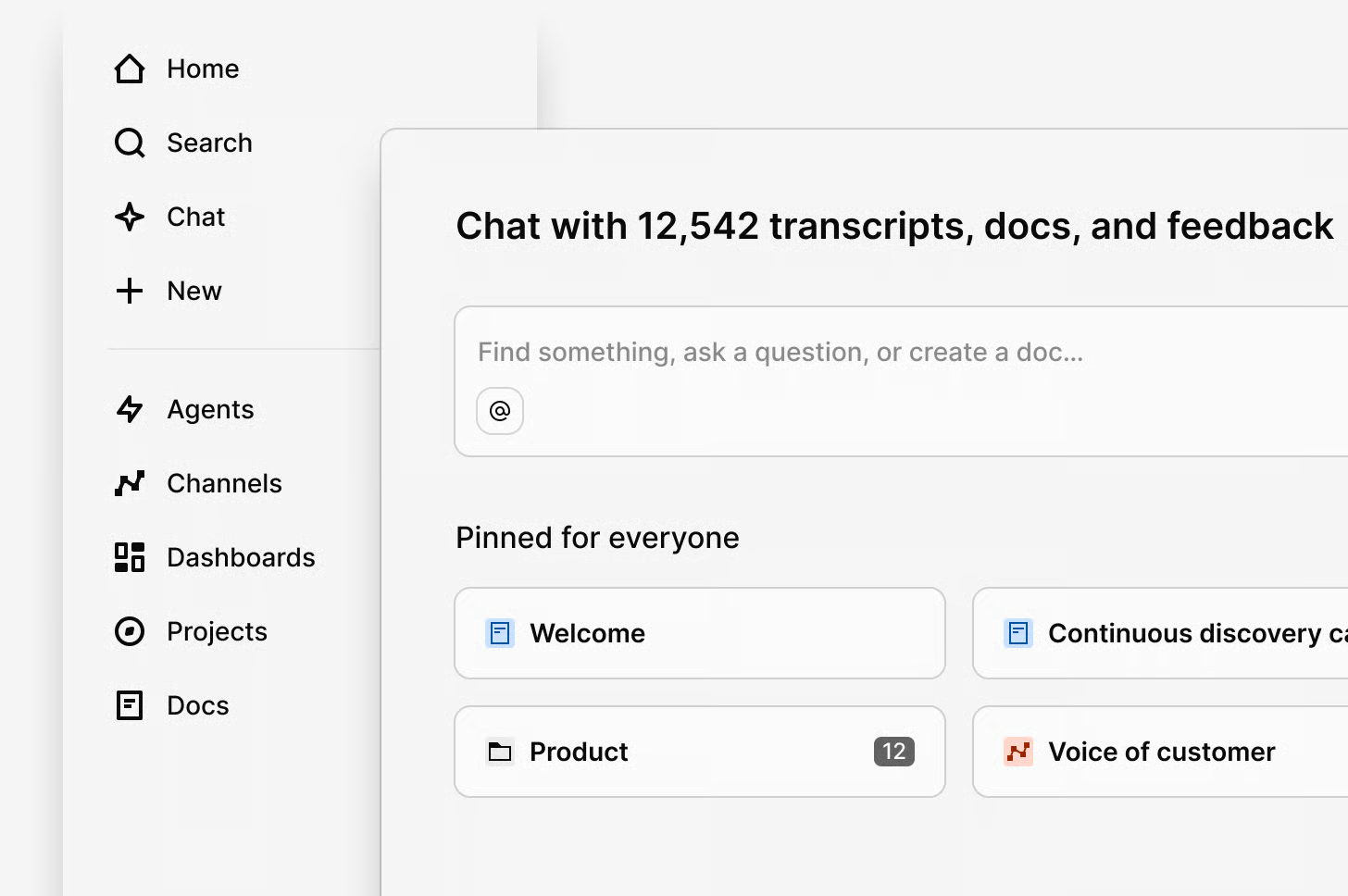
Each Dovetail plan includes a single workspace where your organization can collaborate, organize research, and share insights. The Home page serves as the central hub of your workspace, making it easy to access content, discover insights, and stay up to date. Key sections on the Home page include:- Chat – The fastest way to search across your workspace and uncover insights.
- Welcome – Helps new users get started with common setup tasks, such as connecting data sources and inviting teammates.
- For you – Displays content you’ve recently viewed or created for quick access.
- Browse – Shows your workspace’s folder structure, allowing you to navigate and sort content in different ways.
- Announcement banner – Share important updates with everyone in the workspace.
- Featured Authors – Highlight content created by selected team members.
- Featured Doc – Display a specific document directly on the Home page for all users to view.
Projects
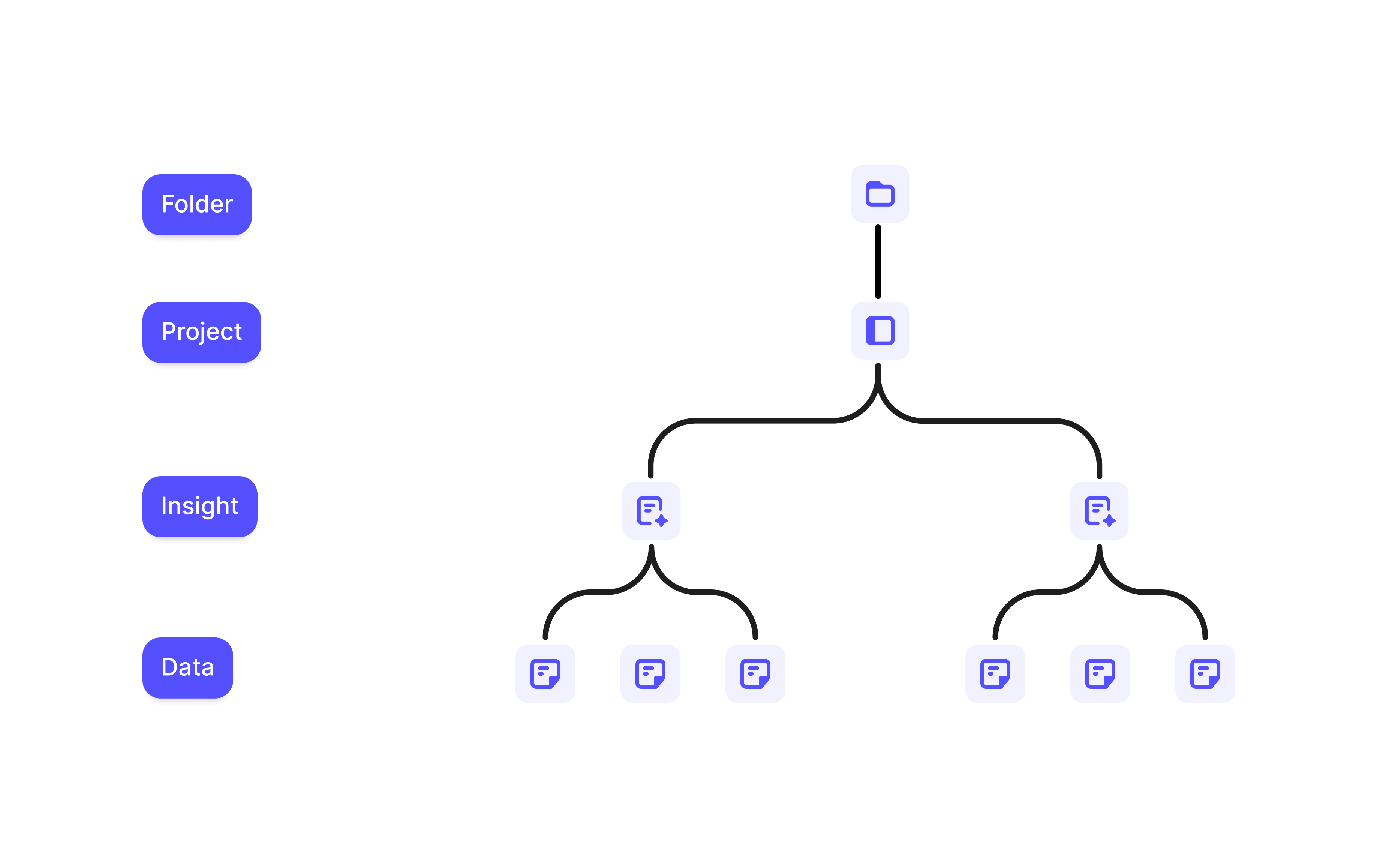
A single project is its own database where you can dive deep into a specific topic or area of interest and transform your data into insights. They are a space for you to thoroughly analyze data-rich sources like customer interviews, usability tests, sales calls, or past research papers and draw very detailed insights with AI.- Data – You can import raw data to surface important moments from. These can be recorded customer interviews, usability tests, NPS responses, support tickets, industry reports, and CSAT responses.
- Highlights – Important moments in your raw data are elevated using highlights. Highlights can be created and shared with stakeholders individually or brought together within a doc to ensure your findings connect directly to your raw data.
- Docs – Docs are where you structure important moments in your research and summarize your findings. With docs, you can establish a narrative around your project and embed highlights from your raw data.
Channels
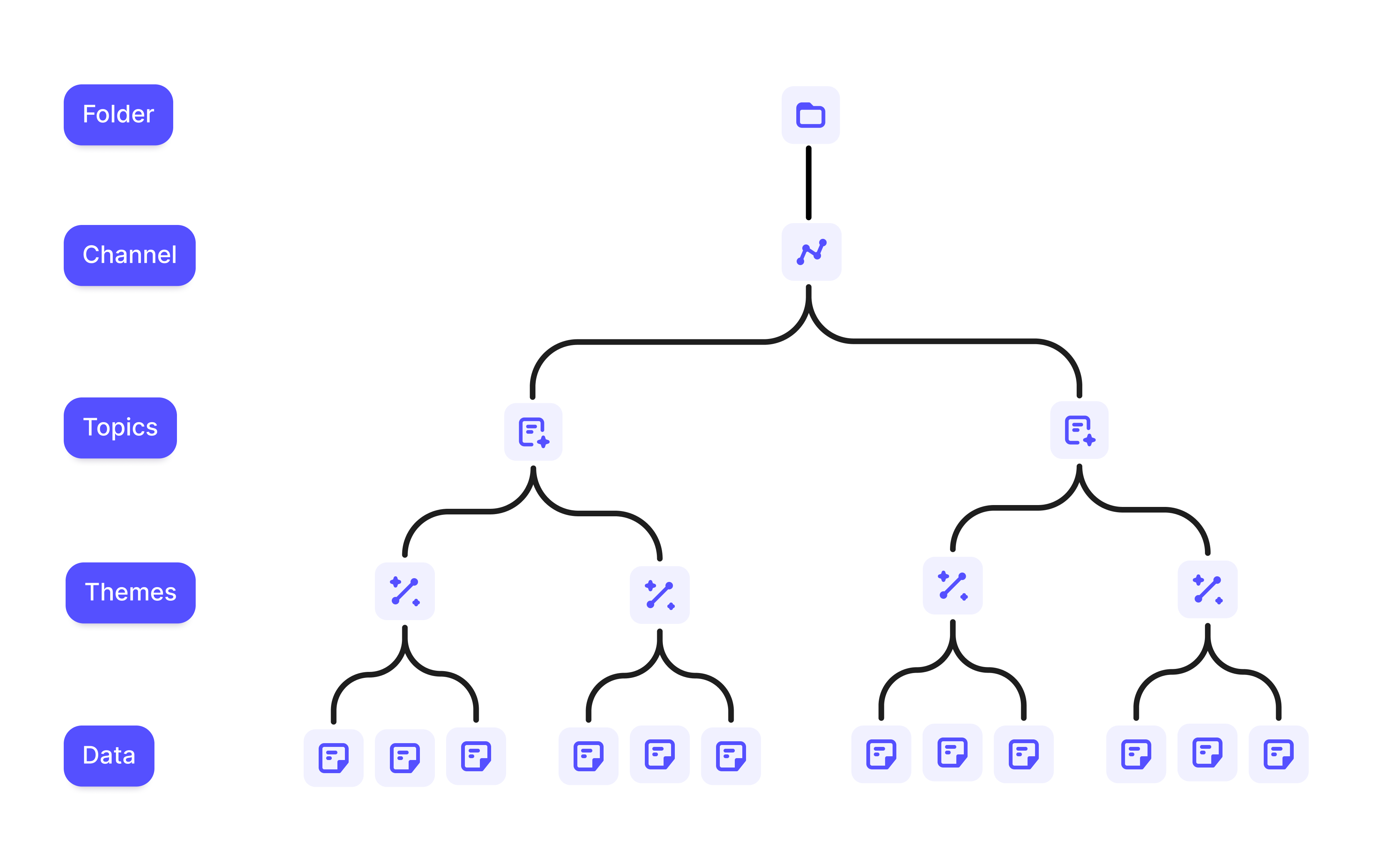
A single channel identifies and tracks themes in always-on, high volume data sets with the power of AI. They provide a birds-eye view of your customers by making sense of support tickets, product reviews, NPS, CSAT, or churn responses.- Data points – Single data points synced into a channel from a central source via a first-party integration, API, or Zapier.
- Themes – AI automatically creates themes from your data points. These themes live within a single channel, where they can be tracked over time to help you pinpoint trends.
- Topics – We automatically organize themes into high-level topics. These help guide how new themes are automatically created and data is classified in your channel.
How users are organized
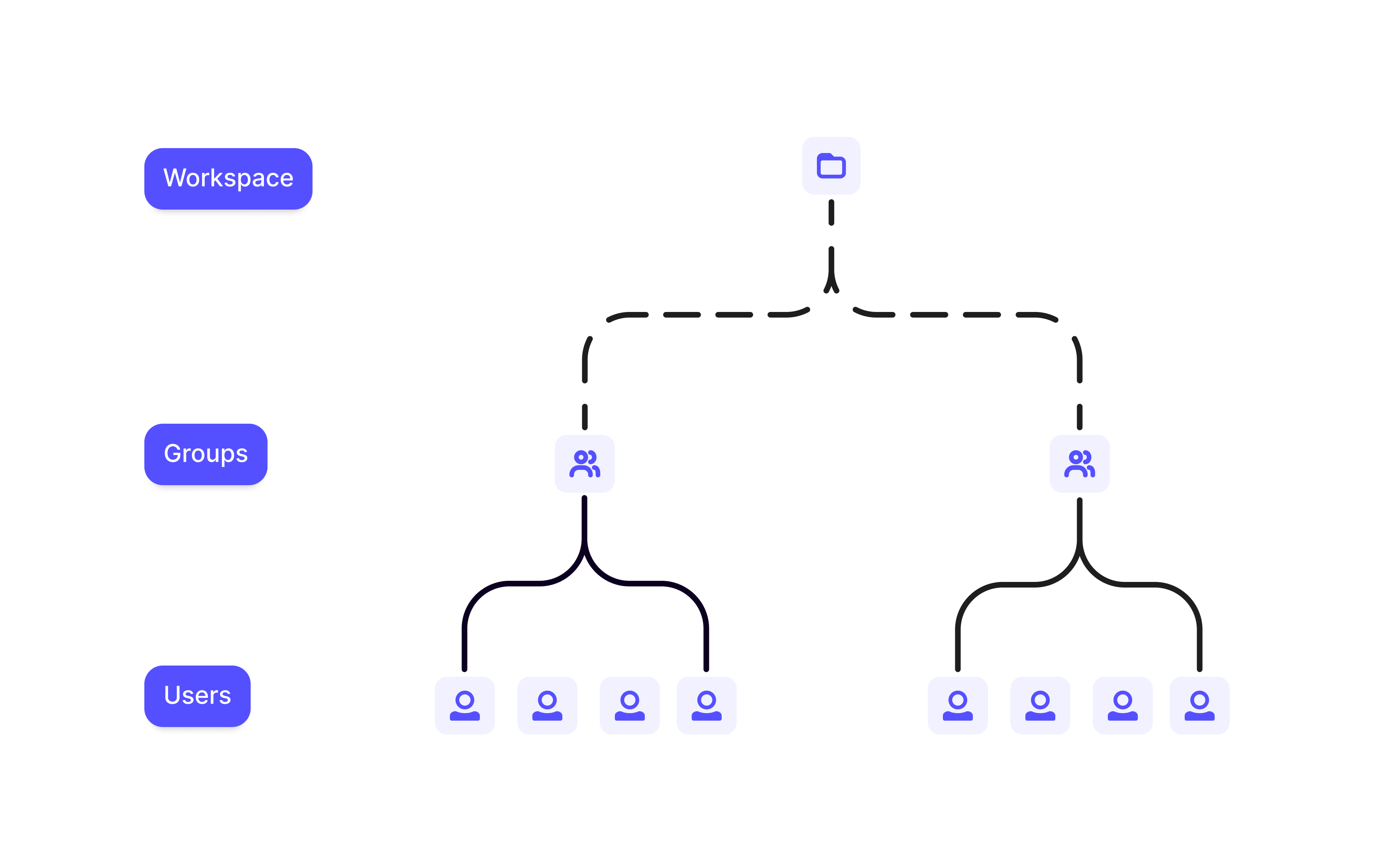
- Workspace - Workspaces are based on your company’s shared email domain and connect everybody within your company who uses Dovetail.
- Groups - Groups reflect teams of people who should have the same data access level in the workspace. These can reflect functional teams or any meaningful group of people in your organization.
- Users - In Dovetail, there are three roles that can be assigned to users in a workspace (Manager, Contributor, and Viewer). Users do not need to live within a group in the workspace.