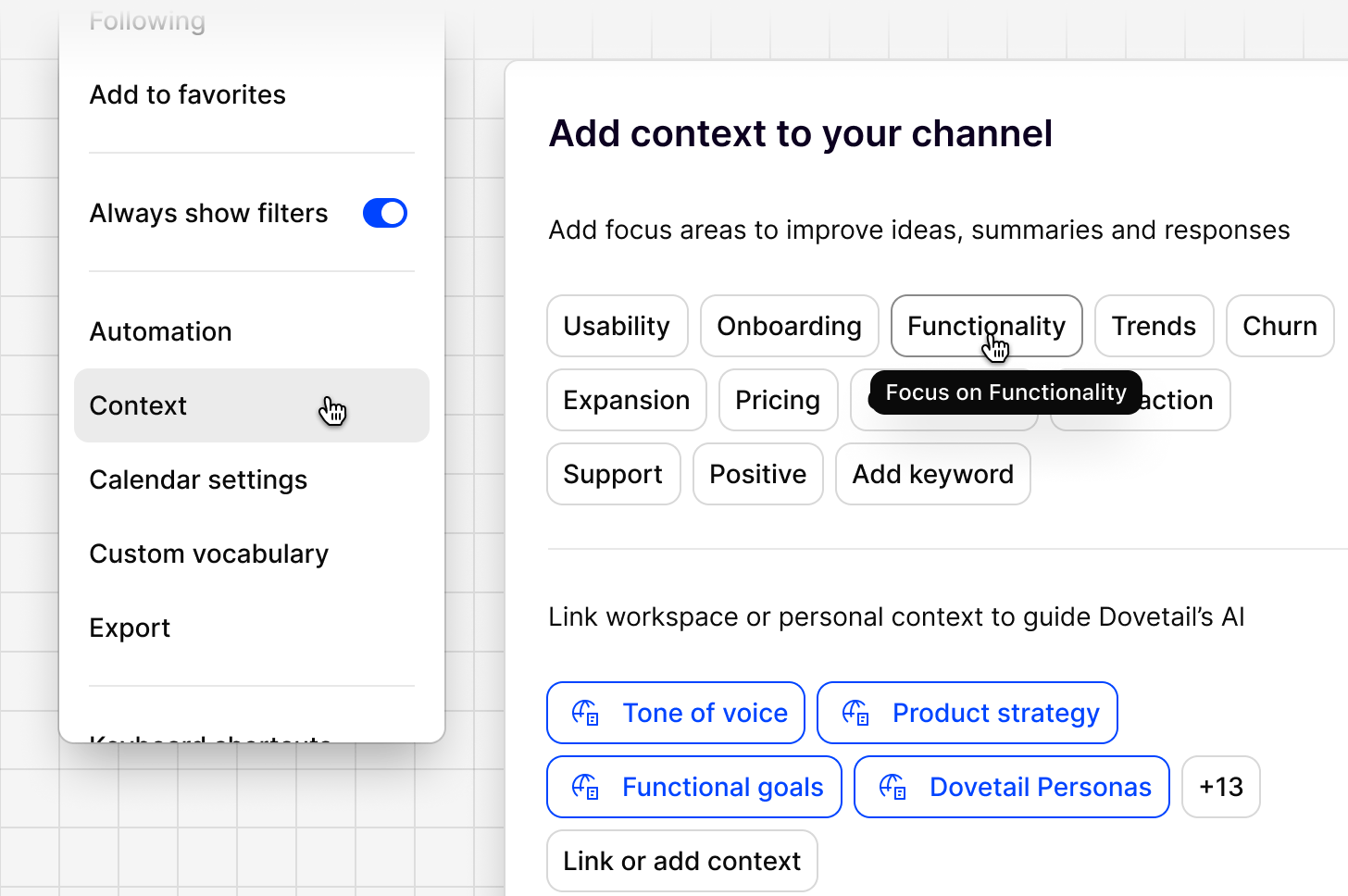
Adding context to your Channel
Context helps Channels generate better ideas, summaries, and responses by telling the AI what to focus on and what you already know about your business. You will be prompted to set the Channel context during onboarding but this can be changed at any time. To do so, all you need to do is:- Click the
...menu in the top right corner of the Channel - Select
Contextto configure two sections: - Focus areas. Select from suggested keywords such as
Usability,Onboarding,Functionality,Trends,Churn,Expansion,Competitors,Satisfaction, andSupport, or add your own withAdd keyword - Linked context docs. Link a workspace or personal doc, such as a strategy doc or tone of voice guide, to guide how Dovetail’s AI interprets and writes about your feedback. Docs already in your workspace are suggested automatically, or use
Link or add contextto attach something new. - Click
Saveto apply your changes.
Writing good context
When adding context to any channel, follow these core principles:- Focus on 2-3 main goals that apply across all your data
- Keep it under 400 characters and be concise
- Use natural language with clear structure that helps you understand the content in a glance
- Avoid overly detailed specifics to prevent filtering out other valid insights
- Specify your role to direct AI to analyze data from your perspective
Context strategies to consider
- Umbrella Approach: Create broad context that encompasses all team needs:
- Use company-wide objectives as the foundation
- Focus on customer experience or business outcomes
- Avoid team-specific jargon or priorities
- Emphasize shared metrics and goals
- Perspective Integration: Explicitly acknowledge different viewpoints
- Outcome-focused context: Center on business results rather than team functions
- Journey-based context: Organize around customer journey stages