

Available on the Enterprise planWho can view: Workspace admins and contributors (viewers cannot access this page)
Overview
Workspace Analytics shows how much research content your team creates over time. Use it to understand usage trends across projects, data, highlights, tags, docs, and contacts.Open Analytics
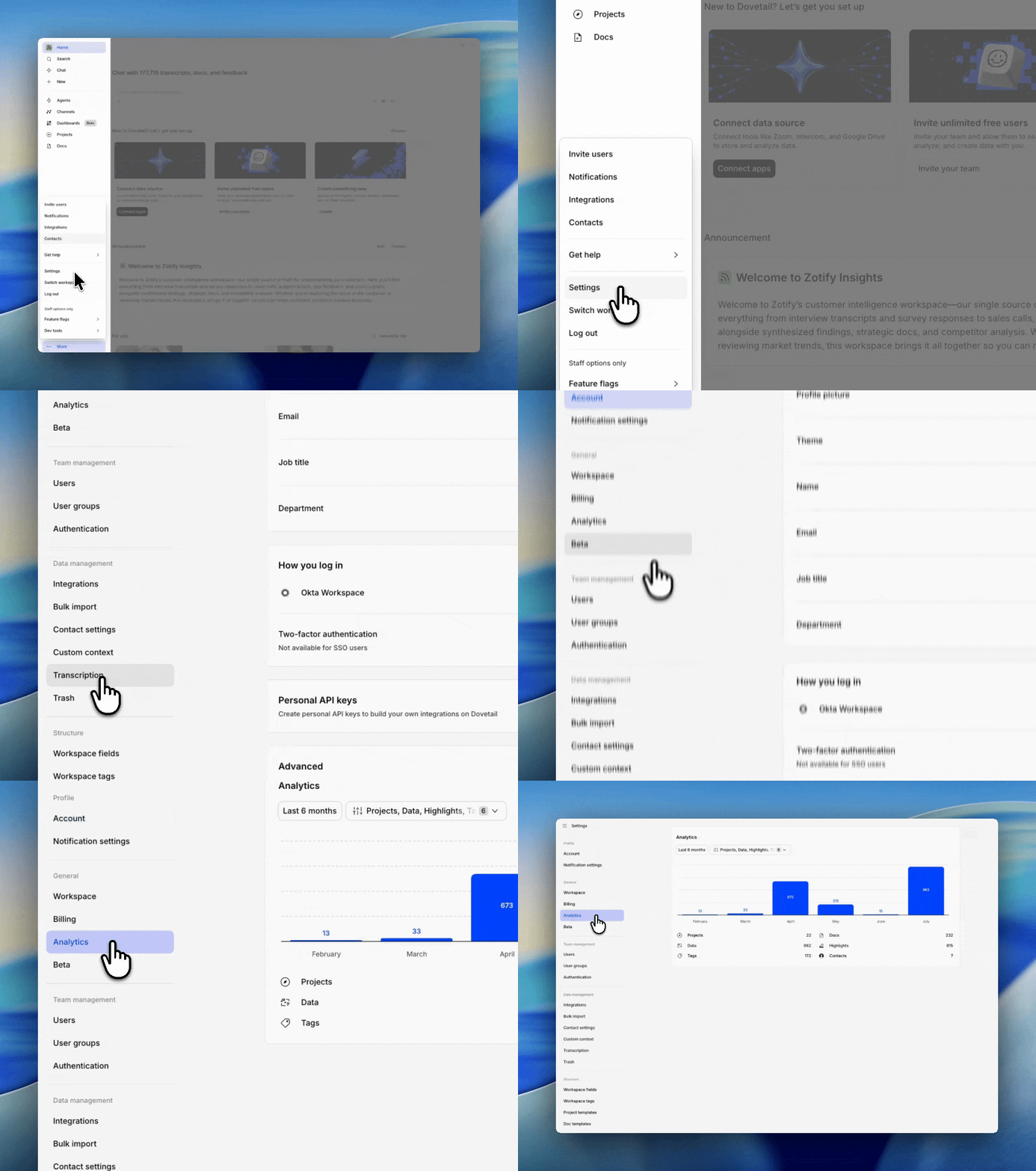
To view Workspace Analytics:- Go to Workspace settings
- Under General, select Analytics
What you’ll see
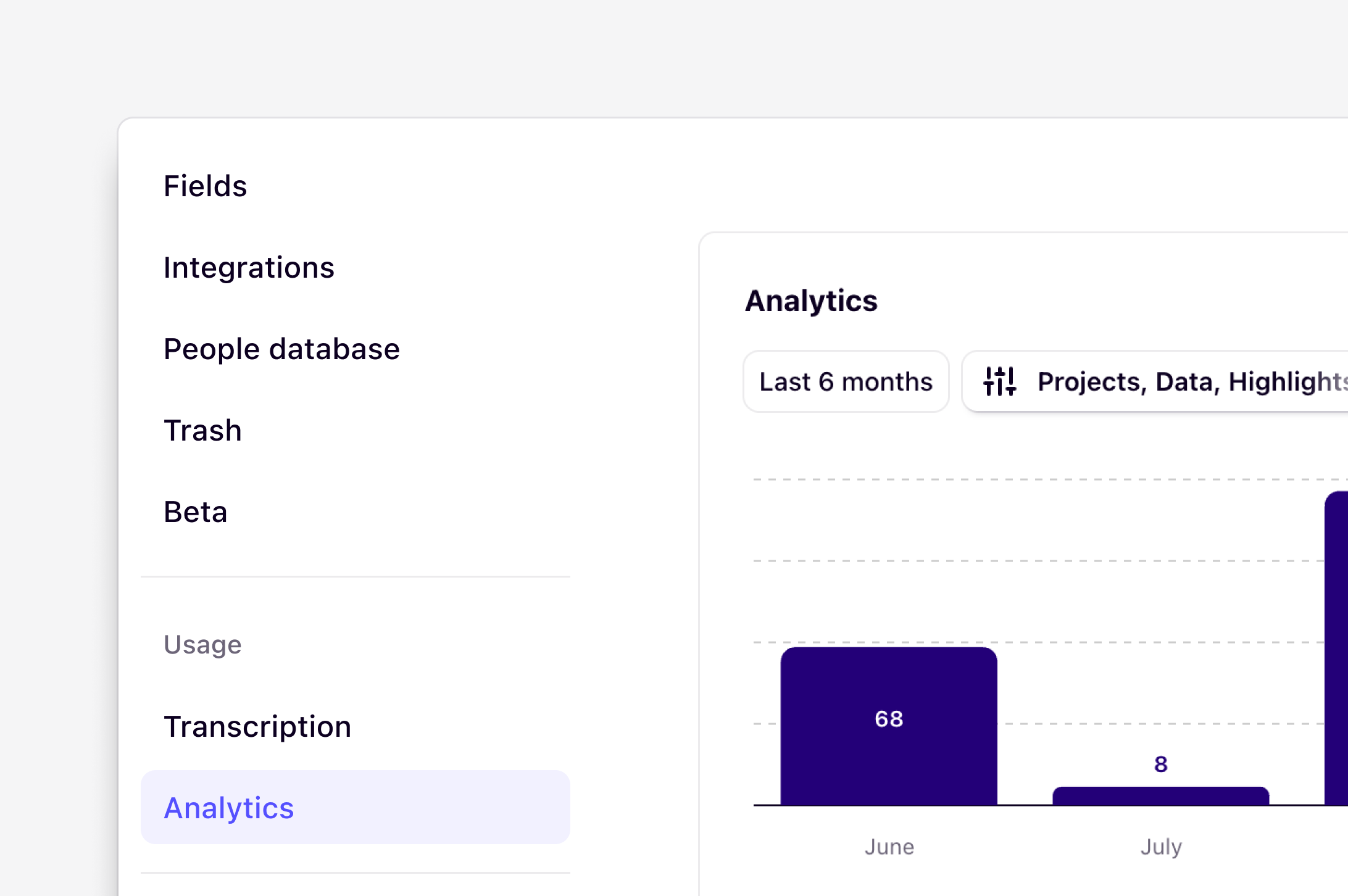
The Analytics page includes:- A date range filter
- An object type filter
- A bar chart of objects created each month
- A totals summary for each object type in the selected range
Choose a date range
Use the date range dropdown to focus on a specific period:- This month
- Last month
- Last 3 months
- Last 6 months (default)
- Last year
- Custom range
Filter by object type
Use the filter next to the date range to choose which object types are included in the chart.
You can turn types on or off individually, or select Clear to remove all project-related types from the filter.
When a type is excluded:
- It isn’t included in the chart totals
- Its count in the summary below the chart shows as ––
Read the chart and totals
- The bar chart shows how many selected objects were created in each month of your date range
- Each bar includes a count label
- The summary below the chart shows the total number created for each object type across the full selected period
- Is research activity growing month over month?
- Are people creating more highlights and docs after a research sprint?
- How much new project or contact activity is happening in the workspace?
Tips
- Start with Last 6 months for a quick overview, then narrow the range if you need more detail
- Compare a few object types at a time (for example, Highlights + Docs) to focus on analysis activity
- Totals always reflect the selected date range, not all-time workspace history
Need access?
If you can’t see Analytics in Workspace settings:- Check that you’re not a viewer
- Confirm your workspace is on the Enterprise plan
- Ask a workspace admin if you need access or a plan upgrade
FAQs
What counts as a page view?
What counts as a page view?
A page view is recorded each time a user loads a unique URL in the product.
Related guides
Research operations
Standardize how your team works, then scale it past the researchers.