

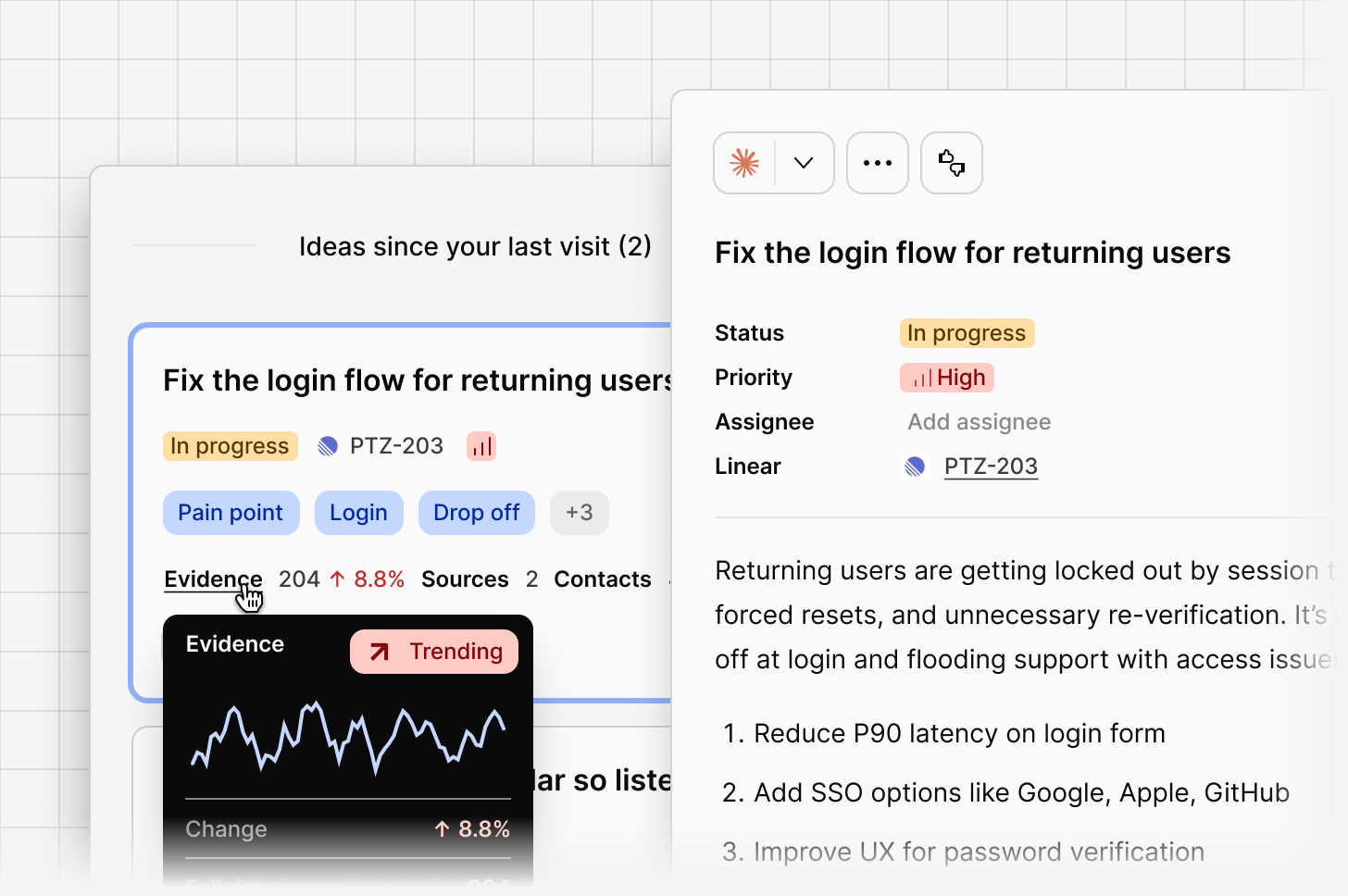
Status, priority, assignee
Each idea moves through a lifecycle: Surfaced → Assigned → In progress → Resolved. Set a priority manually, and assign an idea to a user so ownership is clear. Ideas with the statusResolved, Cancelled, or Won’t do stop receiving new evidence automatically. Evidence already on them stays, and moving an idea back to another status lets new evidence attach again.
Roll-up breakdown
Every idea shows a roll-up of the evidence behind it: number of data points, sources, contacts, and total ARR represented. Roll-ups use your contacts’ company and revenue. See Revenue and customer roll-ups on ideas.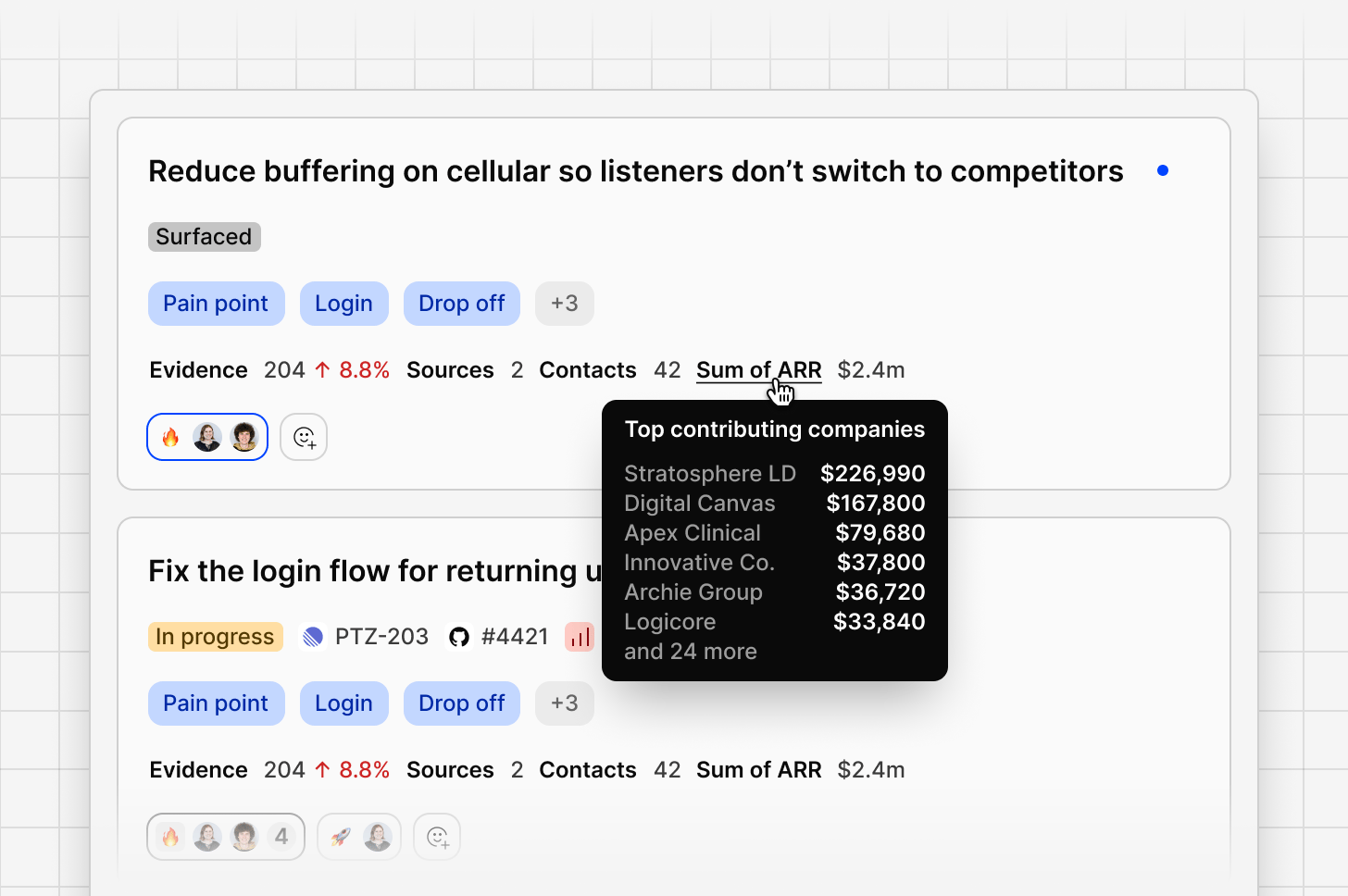
Idea summary and recommendations
Each idea comes with a summary explaining what’s driving it and why it matters, written in plain language from the evidence behind it. Below the summary, Channels suggests a short list of concrete recommendations, specific changes or approaches worth considering to address the idea. Both the summary and recommendations update automatically as new evidence comes in, or as you change the date range or filters applied to the channel, so what you’re reading always reflects the current state of the underlying data.Over-time trending visualization
Each idea includes a trend over time graph, showing how signal volume has changed. A rising sparkline means the issue is becoming more prominent; a flat or declining one suggests it’s stabilizing. Ideas with no recent activity are marked Dormant. Open the full over-time chart on an idea to see demand across your selected date range, useful for spotting whether something is seasonal, tied to a release, or steadily growing.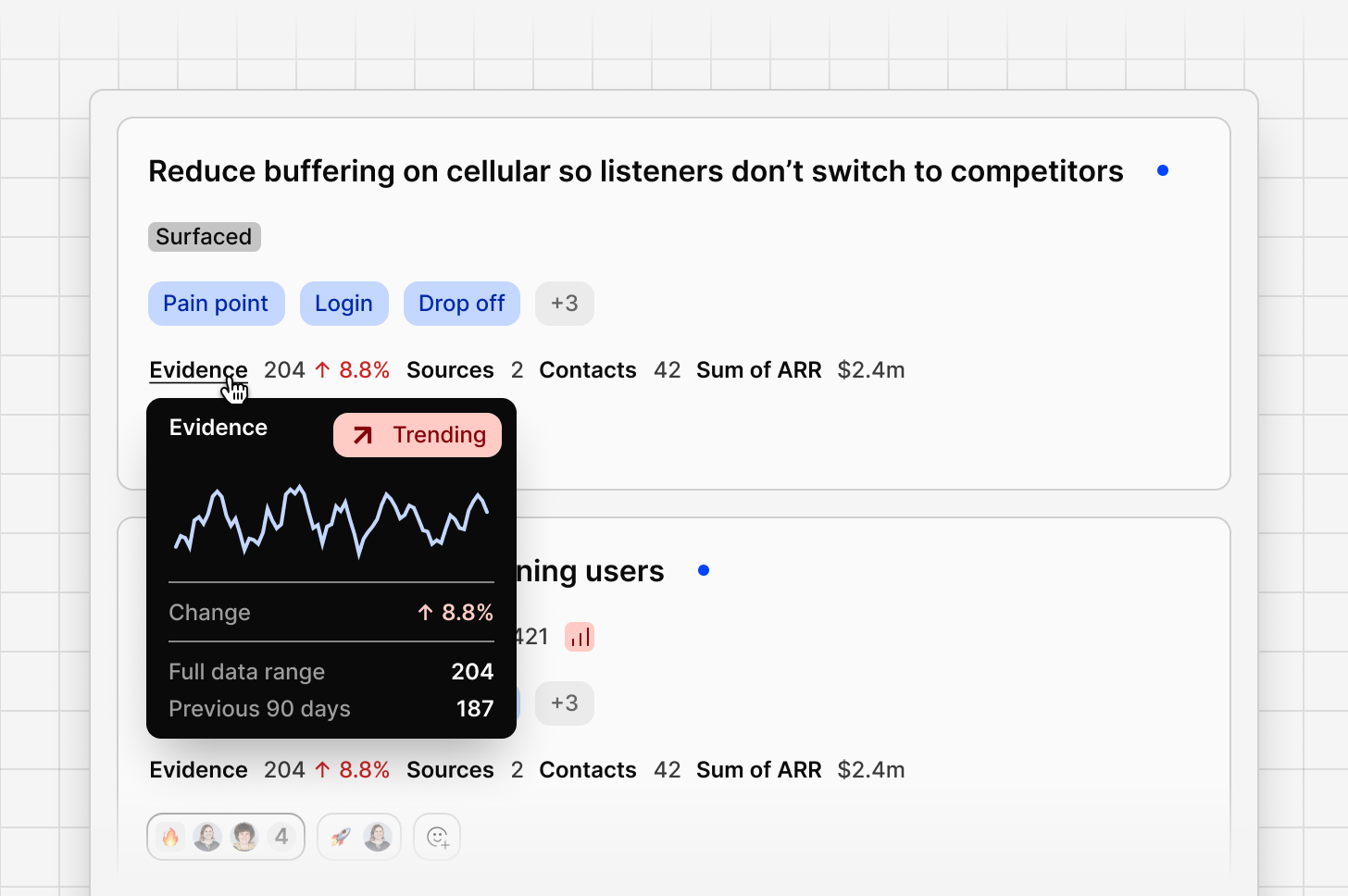
Comments
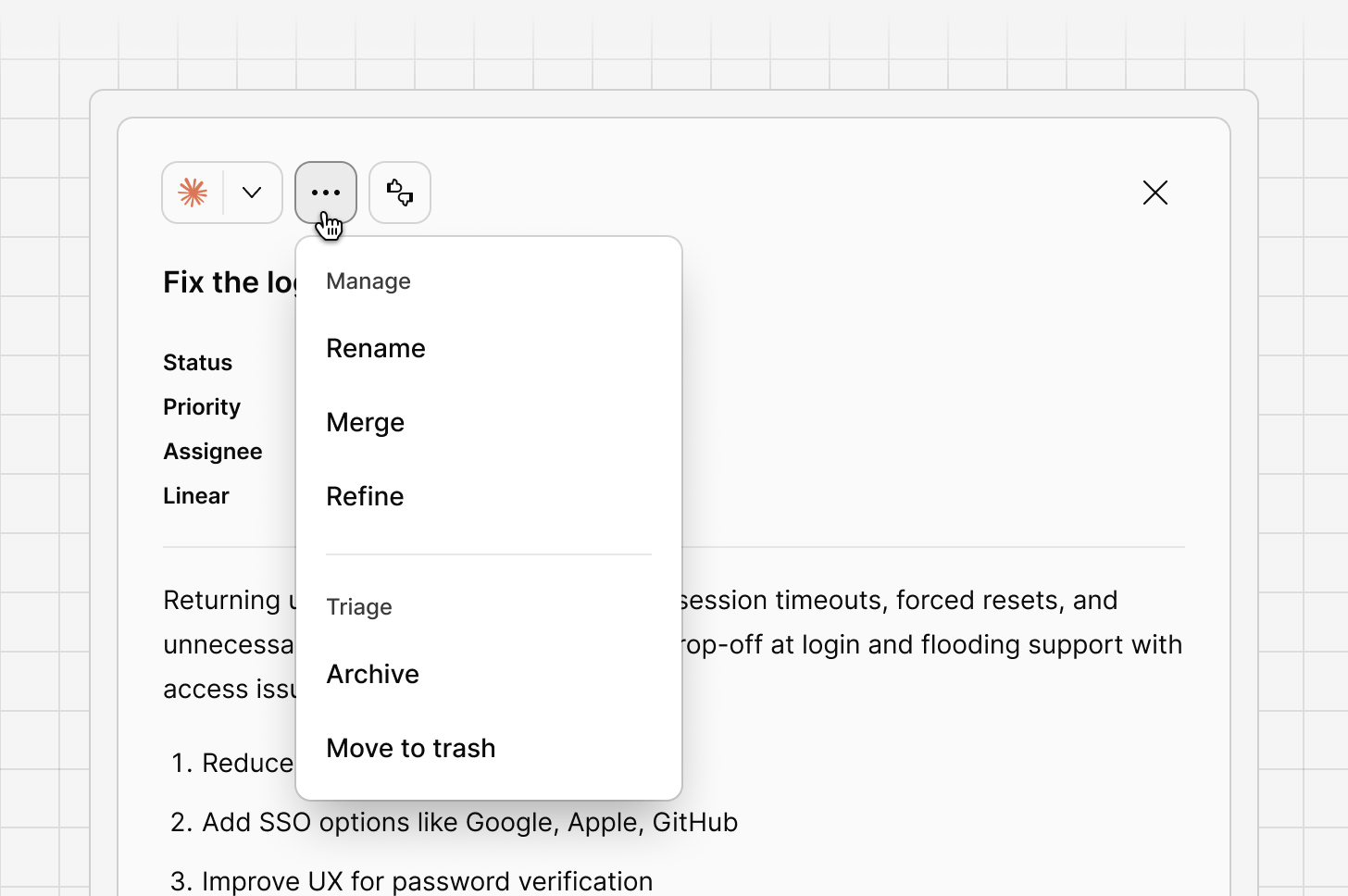
Use @mentions to bring in another user, or to reference other objects in your workspace, such as a Project, a Doc, or another Channel, so users can jump straight to the relevant context without leaving the conversation.Rename, merge, and archive
You’re always in control of how ideas are organized:Renamean idea’s headline in your own words.Mergeoverlapping ideas into a single, clearer one.Archivean idea that’s no longer relevant.
Create your own idea, or bulk manage evidence
You can also select multiple pieces of evidence attached to an idea at once using the checkboxes, or useSelect all to grab everything matching your current filters. From here, you can:
- Select
Add to, then search for an existing idea to move the evidence to, or type a new name to create one on the spot. Once created, new matching evidence keeps attaching to it automatically as it comes in. - Select
Removeto take the evidence off this idea, orMove to trashfrom the•••menu to discard it entirely.
Entities and tags
Entity tags on each idea card show the topics, features, and product areas extracted automatically from the underlying evidence. Filter the whole feed by an entity to see only ideas related to that topic. To track tags over time, or link a channel to a workspace tag board, see Tags, as themes.Closing the loop
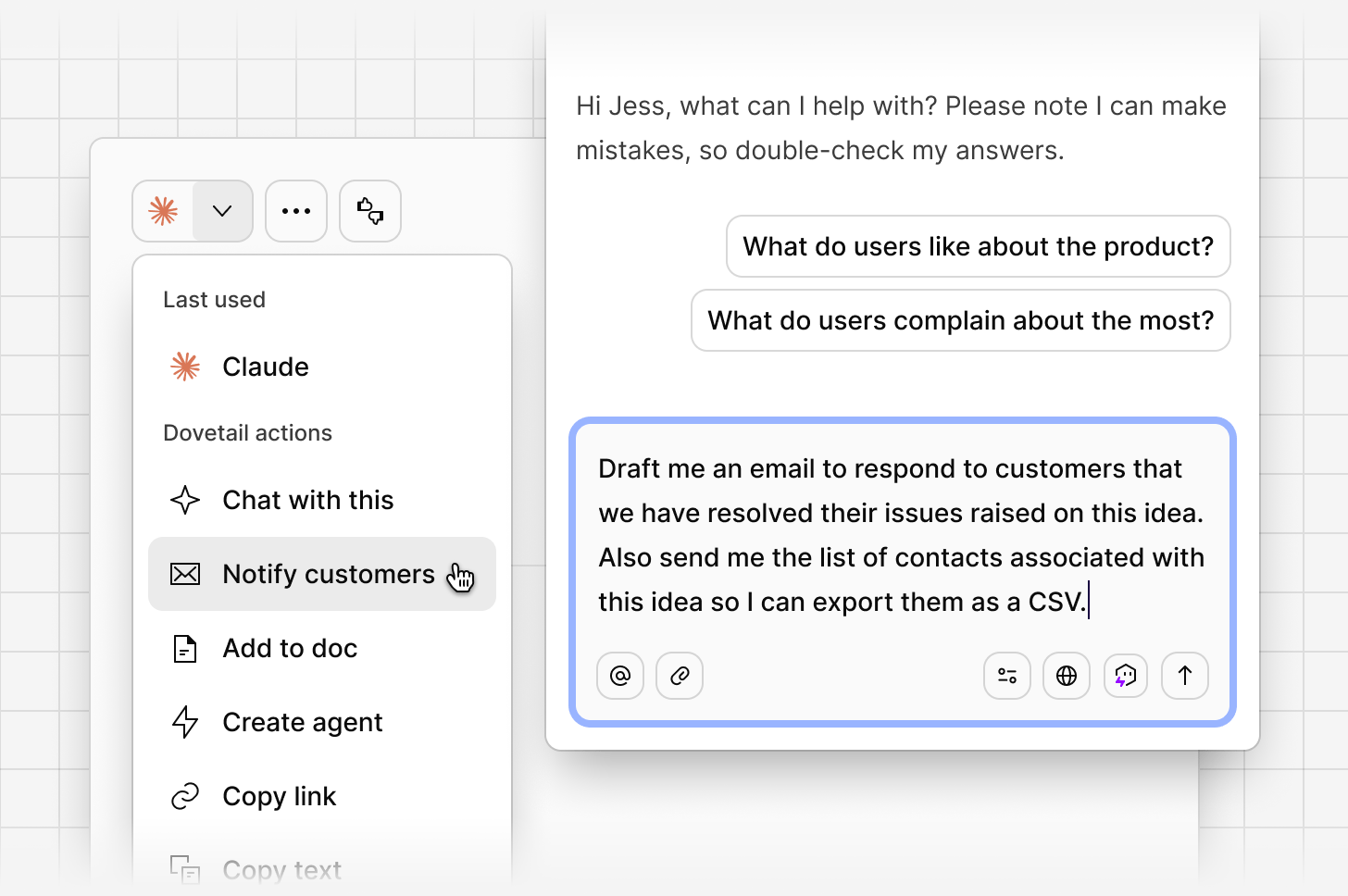
When you move an idea to Resolved, use theNotify customers action to draft and send a personalized update to the contacts whose feedback contributed to it. Dovetail generates the complete CSV list of contacts associated with that idea. You can use chat to review the message, make any edits, and send it from your own email client.
Sort, filter, and save views
Sort and filter
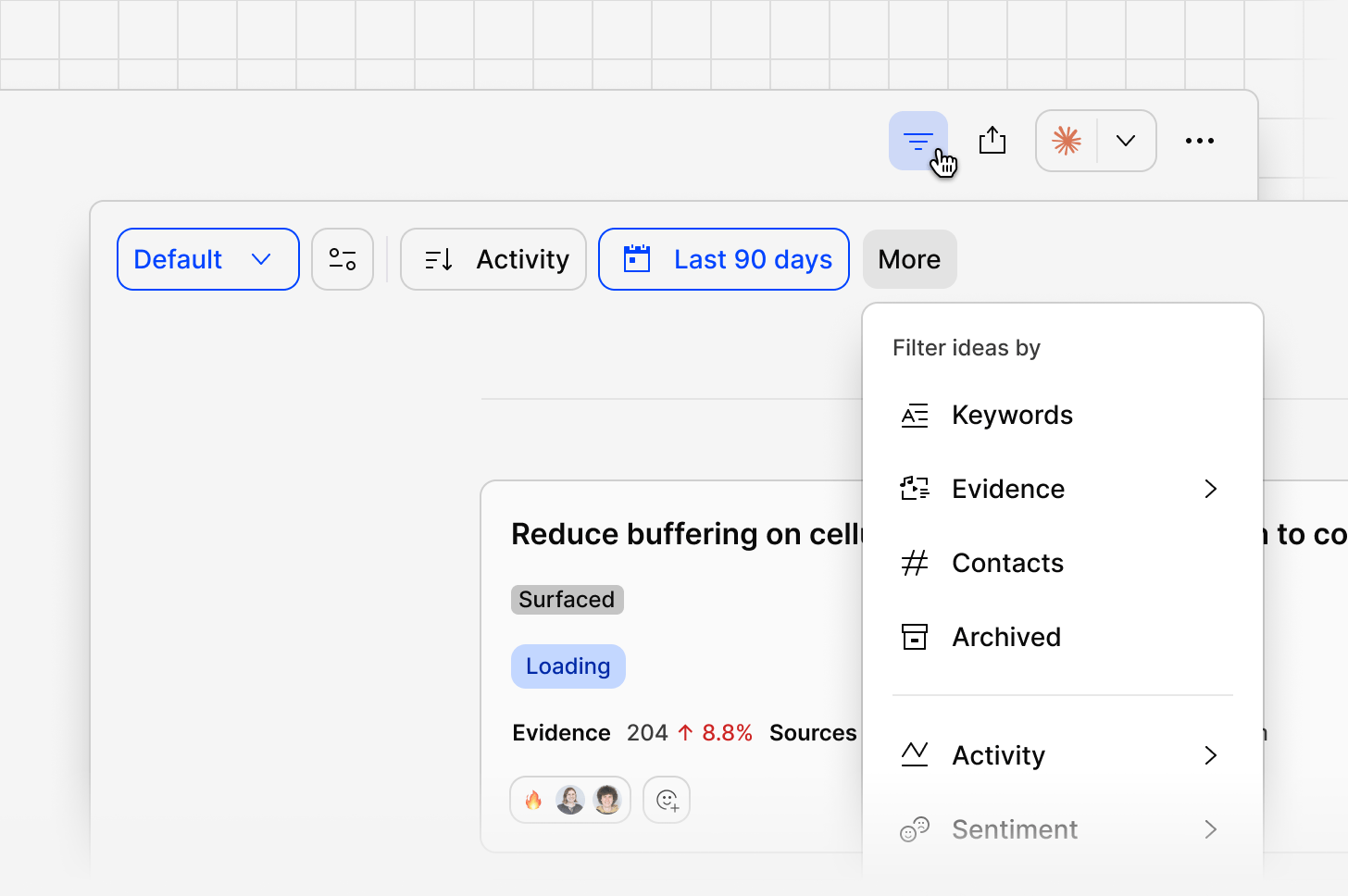
UseSort by to order the feed by activity, priority, severity, sentiment, data points, and more, including custom roll-ups like plan or industry.
Use More to filter by fields such as entity, intent, ARR, contacts, owner, and archived status. Filters stack, so you can combine, for example, Entity and Intent to narrow to a precise slice of feedback.
Saving views
Save a specific combination of filters and sort order as a view, so your team can return to the same slice of feedback without rebuilding it each time. This is a shared way for different squads or product areas to work from the same feed. For example, segmenting and saving views based on product area, industry, region, revenue, etc.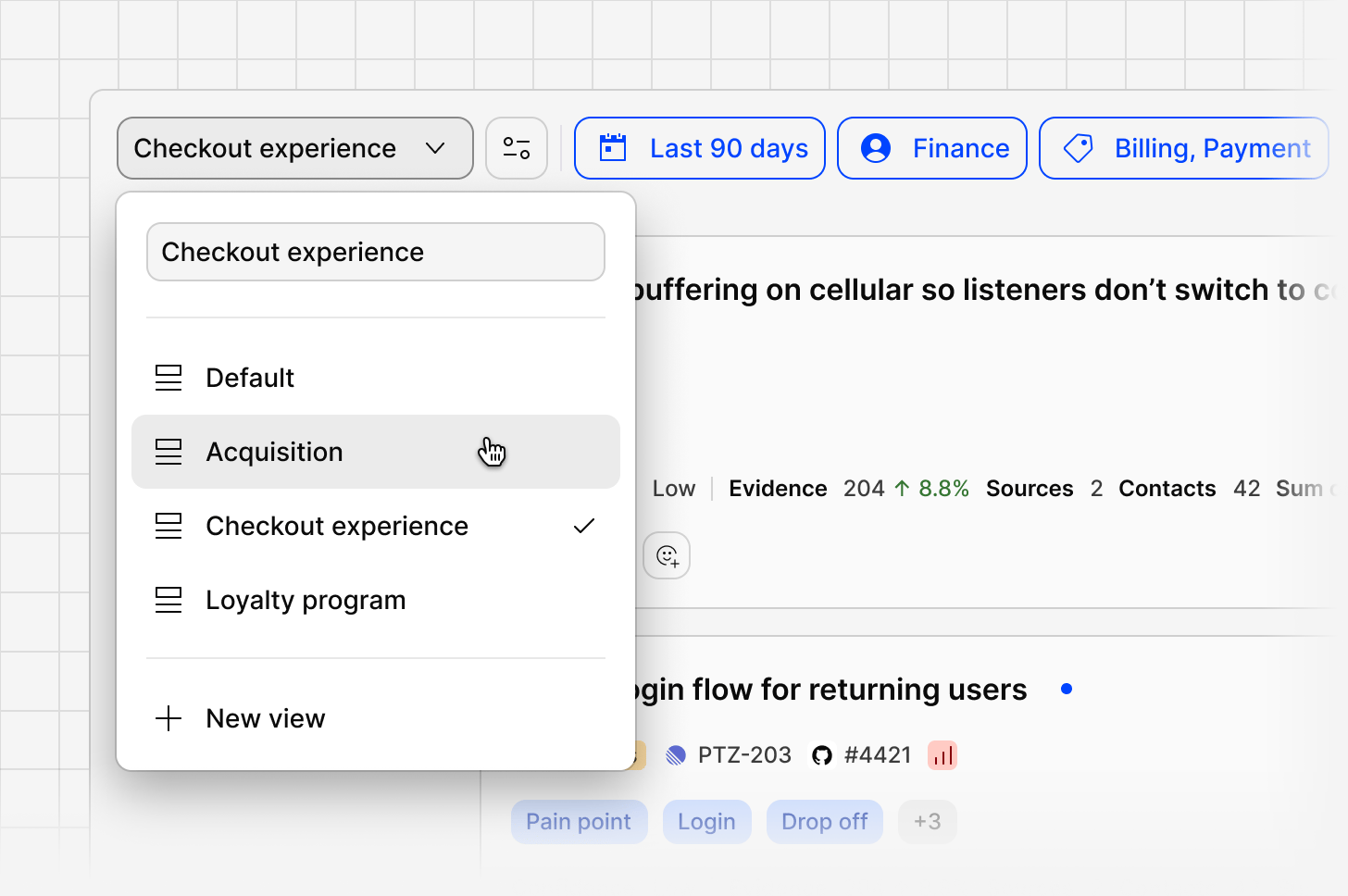
Chat with a saved view
When you open a saved view, chat automatically scopes itself to that view’s filters and sort order. Ask a question and Channels answers using only the ideas and evidence included in the view, instead of the whole channel. This keeps context focused when you’re working a specific slice of feedback, like one product area, business unit, or CSM’s account, so answers reflect just that segment instead of the full feed.Related guides
Voice of customer
Centralize feedback, make sense of it, and close the loop.
Revenue intelligence
Rank what matters by revenue and enrich contacts from a CRM.