

To add a source’s data to a channel, you need edit access to the channel and Can use on the source. Who can see the data in a channel depends on the channel’s own permissions. See Manage source access.
Create a channel
1
Create the channel
In the sidebar, select
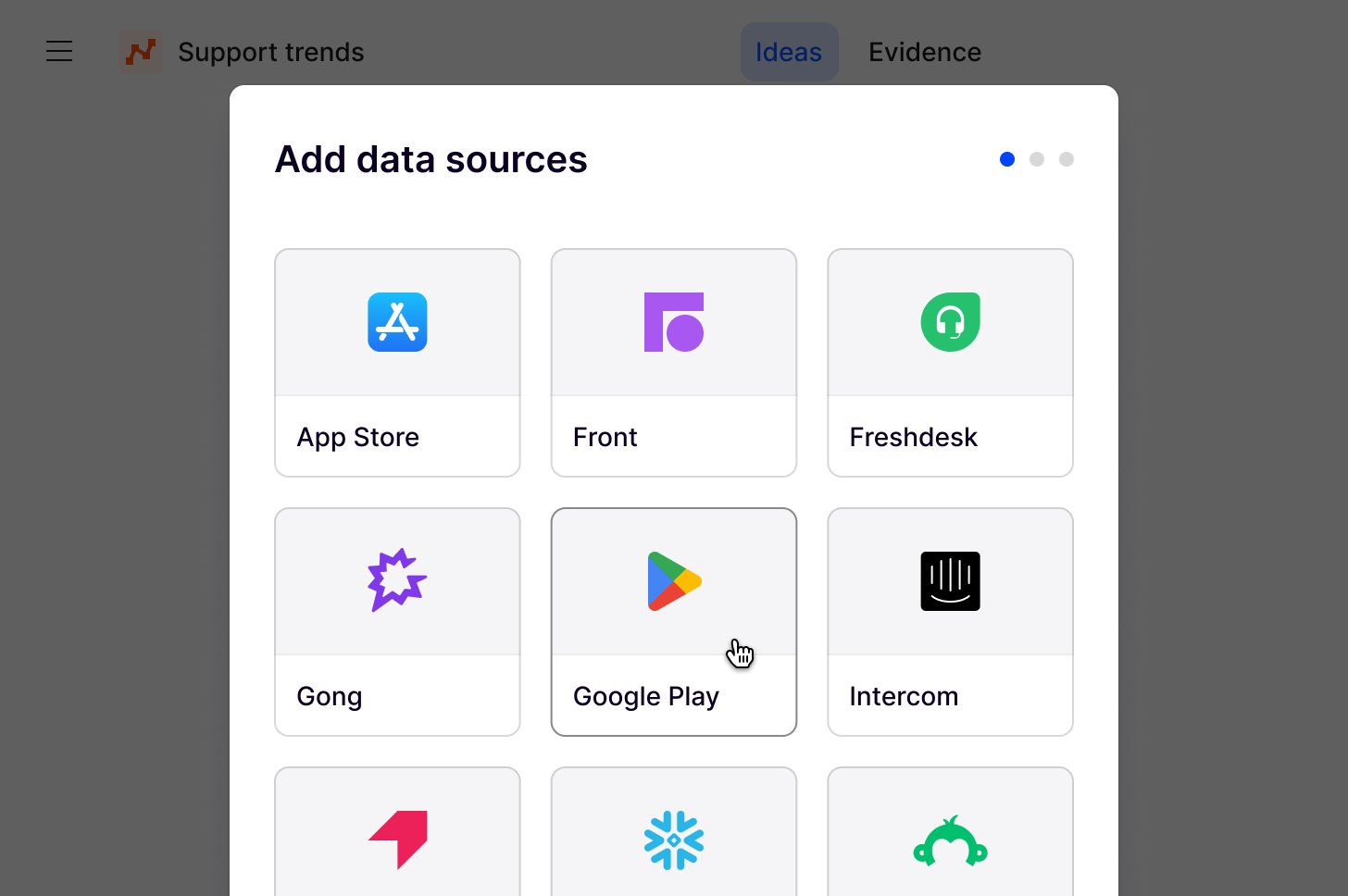
New, then Channel. Dovetail creates a channel named “Untitled channel” and opens Add sources.2
Pick a source
Add sources lists the sources you can use. Select a source to choose its datasets. To upload a CSV file instead, select the CSV card. See Upload a CSV.
3
Choose datasets
Turn on the datasets you want and confirm. You can then pick another source. When you’ve picked everything, select
Continue.4
Add context
On Add context to your channel, add focus areas and link docs that guide how Dovetail’s AI analyzes the channel, then select
Continue. See Channel context.5
Finish setup
If Channel settings opens, review its settings, then select
Finish. Dovetail adds the datasets to the channel and starts generating ideas from their data.6
Rename the channel
In the channel header, select
•••, then Rename. Choose a name that reflects the channel’s focus, for example “Mobile app retention” or “Enterprise onboarding”.What a channel gets from its sources
A channel gets every data point that the datasets you chose have already imported, with no date range. After that, new data arrives as each source syncs. In Channels 2.0, a new channel’s default view shows the last 28 days. Widen the date range to see older data. How far back a source’s data goes depends on the import period chosen when its datasets were added to the source. See Import period. Datasets added to a source later aren’t added to your channel automatically. To include them, see Add datasets or sources. You can’t limit the data a channel gets to a date range or a segment; you narrow it by choosing datasets. The source also decides how each data point arrives:- Contacts. If the source creates contacts, data points arrive linked to contacts. See Create contacts from source data.
- Redaction. If the source has auto-redaction enabled, its data points arrive redacted. A channel has no redaction setting of its own. See Redaction is set where data comes in.
- Fields. A data point’s fields come from the source. A channel can’t rename them or change their types. See Source fields.
When a source is missing
Add sources lists only the sources you have Can use on, and leaves out sources that need reconnecting. You can’t create a source from inside a channel. Workspace admins create sources on the Sources page, and other users can request a new source or access to an existing one. See Request a source and Source not available in a channel.Manage the sources in a channel
In the channel header, select the sources button, for example2 sources, to open the channel’s Sources dialog. It lists each source in the channel, with its datasets and sync times. Only users who can edit the channel can change it.
Add datasets or sources
- More datasets from a source. Under the source, select the add row, for example
Add team, and choose the datasets. - Another source. At the bottom of the dialog, select
Add source, then pick the source and its datasets.
Remove a dataset or source
- One dataset. Select the cross next to the dataset.
- A whole source. Select
•••next to the source, thenRemove source.
Sync a source now
Sources sync about every hour. To check for new data sooner, select••• next to the source, then Sync now. This works for workspace admins and the user who connected the source. See Sync a source now.
Sources that need reconnecting
If a source loses its connection to the tool, it stops importing new data, and the data already in the channel stays. The channel shows a banner that names the integration, and the channel’s Sources dialog showsReconnect on the source. Workspace admins and the user who connected the source can reconnect it there or on the source itself. Other users can ask one of them. See Reconnect a source.
Connect a tool without Sources
In workspaces without Sources, a channel connects to a tool directly. You need edit access to the channel. Before you start, check what the tool needs on its side, such as an admin role or API access. Each tool’s page lists this under Before you start, in the section named after the tool.1
Open Connect data source
Open the channel you want to add data to, or create a new one. In the channel header, select
Add source. Connect data source opens.2
Select the tool and follow the prompts
Select the tool you want to connect, then follow the prompts that appear. Depending on the tool, you sign in to it or enter its credentials, such as an API key, then choose what to import and, for most tools, how far back. Some tools, such as Zapier, continue in the tool itself.
3
Finish setup
Confirm the setup and select
Finish. The first import starts right away.Upload a CSV
A CSV file isn’t a source. Uploading one is a one-off import into this channel only: the data doesn’t sync, and other channels can’t use it. Start an upload from the CSV card in Add sources, or from the CSV row of the channel’s Sources dialog to upload another file.- Choose the file. It needs a header row, a date column, and text to analyze. See CSV import FAQs.
- On Map your data, choose the feedback column or columns to analyze, the date column and how to read its dates, and any metadata columns to keep as fields.
- In a Channels 2.0 channel, choose whether Dovetail creates contacts from email addresses in the file, and which columns hold each person’s email address and name. See Create contacts from source data.
- Choose whether Dovetail auto-redacts the text in this file. The choice is final once the file is uploaded.
- If this is the channel’s first data, add context to the channel. See Channel context.
- Select
Finish.
CSV import FAQs
What are the CSV import limits for a channel?
What are the CSV import limits for a channel?
Channels don’t use the project 5,000-row CSV limit. Each row you upload becomes a data point and uses 1 credit from your workspace’s balance, or 2 if you choose to redact it. See Credits and usage.
What does my CSV need to include?
What does my CSV need to include?
The file must:
- Be a
.csvwith a header row and at least one data row - Include a column with valid dates
- Include text for Channels to analyze (for example, feedback, comments, or ticket content)
Is there a file size limit for channel CSVs?
Is there a file size limit for channel CSVs?
There is no separate MB cap like the 10 MB project CSV limit. Very large files can still fail to open in the browser — if that happens, split the file and import it in parts.
Can I analyze multiple columns for CSV?
Can I analyze multiple columns for CSV?
Yes. You can select multiple feedback columns to analyze when you upload a CSV to a channel.
Related guides
Sources
How sources import customer data that channels then analyze.
Request a source
Ask a workspace admin for a new source or for access to one.
Channel context
Add focus areas and docs that guide how a channel is analyzed.
Troubleshoot sources
Find out why a source or its data is missing from a channel.