

Overview
Connect your Notion account so you can share Dovetail content in Notion with rich previews in pages that summarize research findings, track product feedback, or validate a design decision. Notion is a connected app: each user connects their own Notion account. Learn more about connected apps →Set up Notion integration
- To connect your Notion account, go to Settings → Connected apps, find Notion under App connectors, and select
Connect. - Next, select
Connectin the dialog to open the Dovetail integration in Notion, then sign in, review the requested permissions, and confirm the connection. - Once connected, paste any Dovetail link into Notion, then select
Paste as preview. You can also type/dovetailin any Notion page and a menu will appear, allowing you to paste links directly.
Share Dovetail content in Notion
When you paste a Dovetail link in a Notion page, you can choose to display it as either a mention or card to display relevant information about the link. Only the user who shares the link will need to authenticate their account for others to see details about the link. If it’s your first time using Dovetail with Notion, you will be prompted to authorize the integration. Follow the prompts to complete the authorization process. Once authorized, you will see a detailed preview of the linked content. This feature is supported for Dovetail docs, highlights, data, tags, projects, and people.Embed highlight videos in Notion
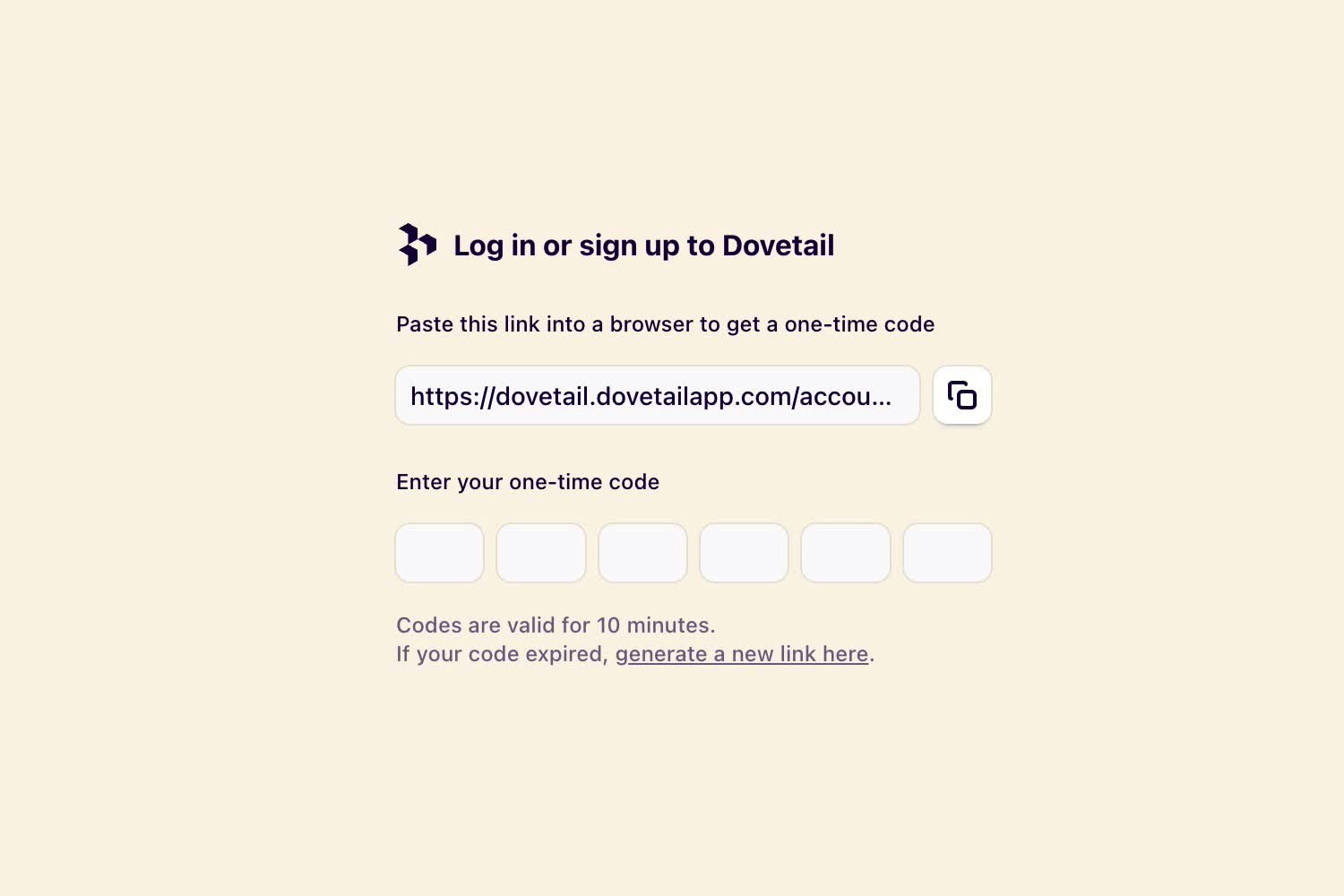
When you embed a link to a single video highlight or reel in Notion, the video will be available for your team to play right from Notion. If you are using the desktop or mobile app to play the highlight, you’ll need to authenticate first.- To do this, copy the link provided in the player and paste it into your browser to log in to Dovetail.
- From there, copy the one-time code and enter it in the player in Notion.
Disconnect Notion from Dovetail
You can disconnect your Notion account from Dovetail at any time.- To do this, open your Notion workspace, select ⚙️ Settings and members → My connections in the sidebar.
- From there, locate Dovetail in the integrations list, click
•••and selectDisconnect.
Configure next to Notion under App connectors, then select Remove connection next to your connection.
Workspace admins can also remove other users’ connections. See Connected apps.
Requested permissions
Dovetail’s Notion integration only requires thelink-preview scope. This allows the integration to generate and display previews of Notion links within your workspace. No additional Notion permissions or multi-scope access are requested.