

Docs available in beta for Professional, Business and Enterprise workspaces. Admins can enable this feature for their workspace in Settings.
Overview
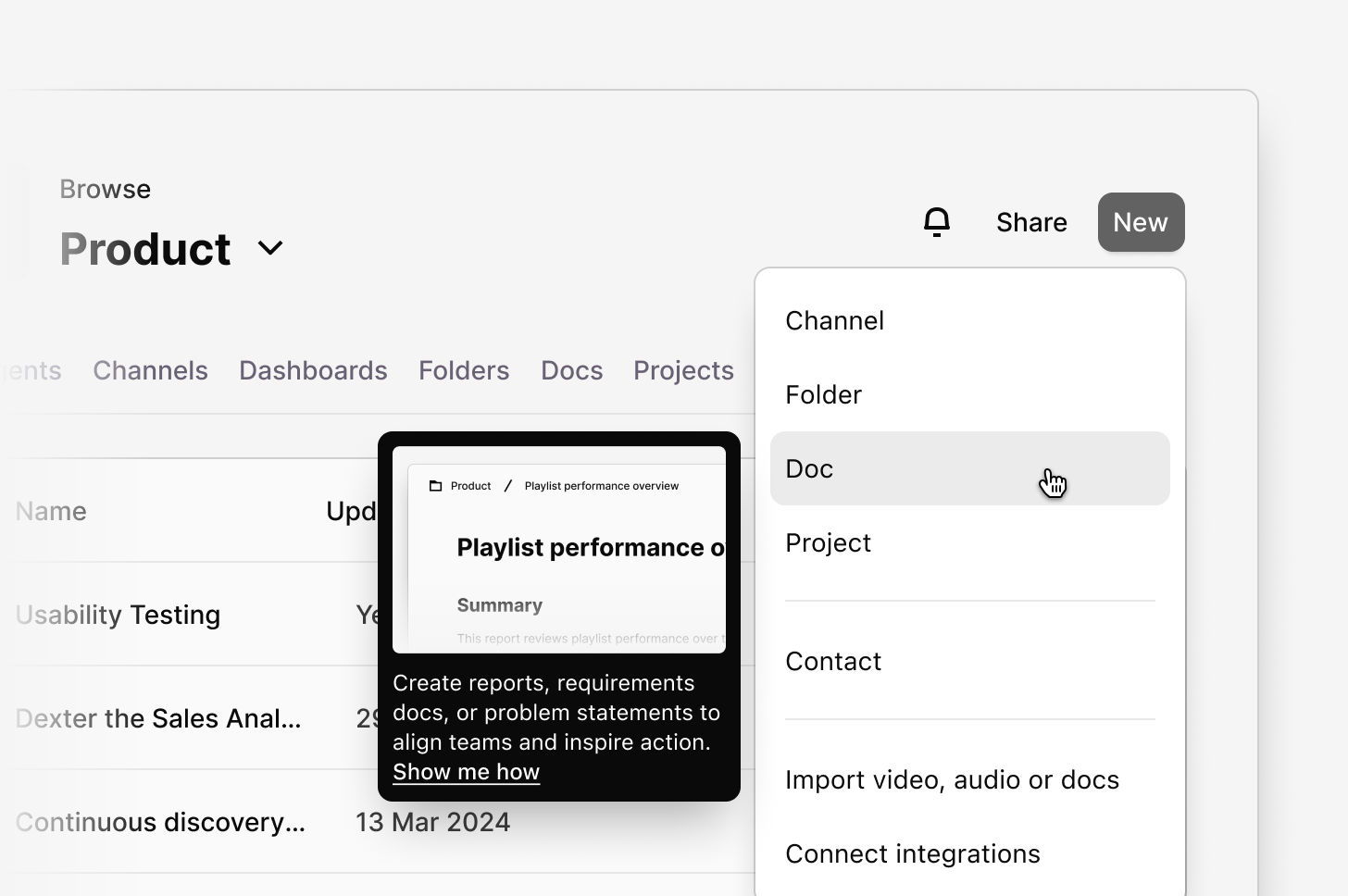
Docs (formerly insights) is our new, improved way for your team to create, manage, and share documents, anywhere in Dovetail. Instead of keeping notes and “insights” scattered across projects, docs gives you a single, flexible place to turn research, feedback, updates, and strategy into shareable, discoverable documents.Docs live everywhere, including folder or project level — whichever fits your workflow best — so everyone on your team can access, reference, and build on the same information.
Why we renamed Insights to docs
We renamed insights to docs to better match how you actually use documentation in Dovetail — and to unlock more powerful, flexible workflows.- Central workspace feature: Docs now sit alongside other folders and projects. This makes them easier to locate, access, and manage — no more toggling between separate “Insights” and projects.
- Broader use cases: Docs aren’t just for summarizing research findings. Use them for strategy updates, feedback reports, onboarding guides, briefs, or any kind of documentation your team needs.
- Stronger collaboration workflows: With docs, you get cross-project referencing, shared visibility, and consistent permissions. That means smoother teamwork and less friction when organizing or reusing content.
How to create a doc
A new Dovetail experience is coming on March 31, 2026. We’re updating the app’s navigation and structure. You may notice changes, as some features appear in new locations.
- From a project
- From a channel
- From a folder
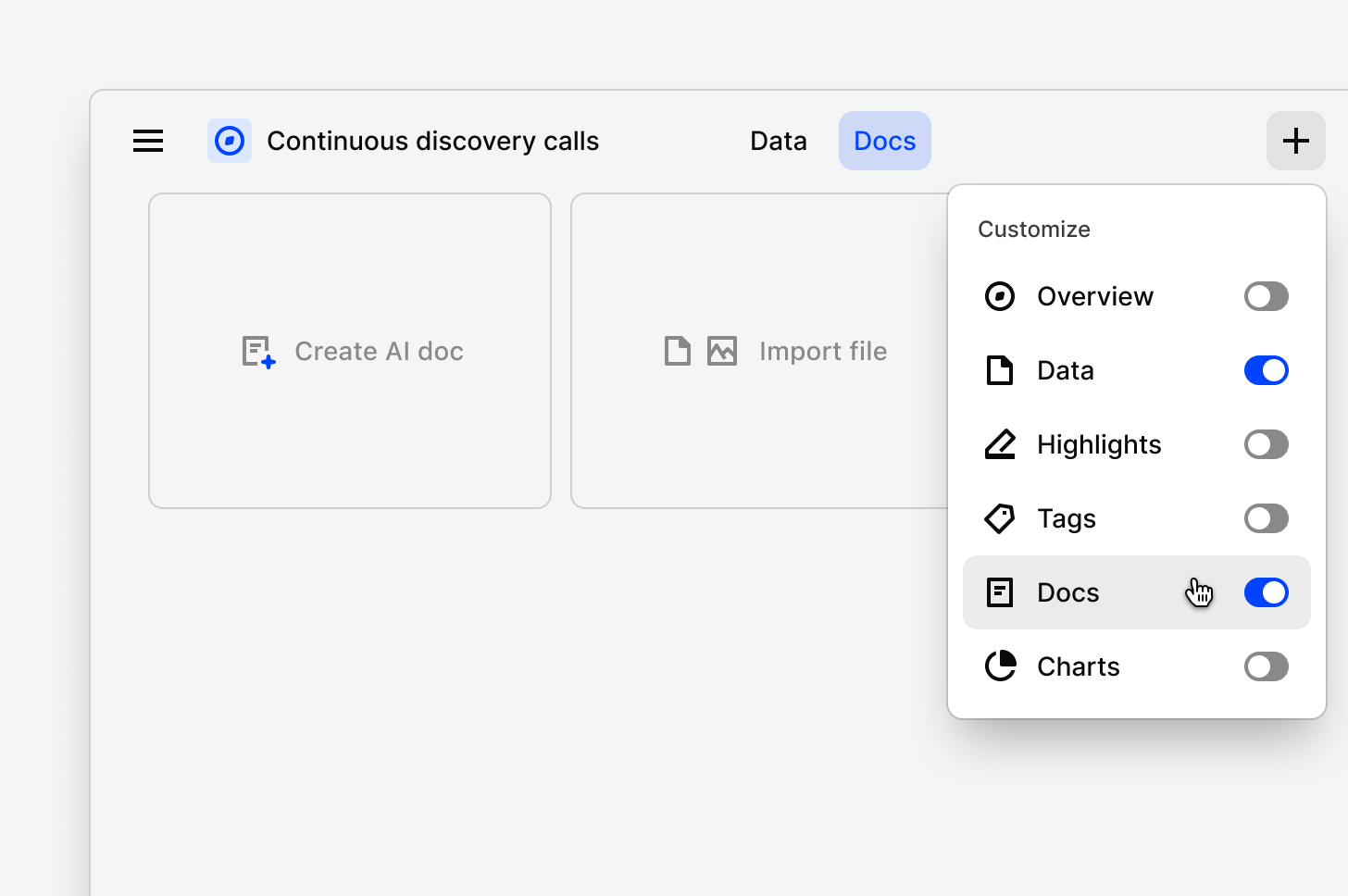
To create an doc in a project:
- Select
+and toggleDocon. - Next, select
Create AI Doc. - From there, choose how you want to create your insight. You can:
- Ask a question or write a custom prompt in chat (e.g. “Summarize key findings from customer interviews”), with the help of AI docs (beta), or
-
Select a predefined framework like Voice of Customer, Research Report, or PRD.
Move or copy a doc
Workspace level doc’s do not support fields currently. If you require adding fields to a doc, please move the doc within a project.
- Go to the doc location or open the doc
- Click the meatball menu ••• in the top right, and choose
Move to - Pick the destination (folder or project)
- Go to the doc location or open the doc
- Click the meatball menu ••• in the top right, and choose
Copy to - Pick the destination (folder or project)
What this means for your team
With doc, you can:- Keep all your important documentation in one place — no more fragmented notes or isolated “insights.”
- Share knowledge across projects, teams, and channels with a common, discoverable format.
- Collaborate more smoothly through shared visibility and streamlined permissions.
- Reuse structure and content by copying or moving Docs as your needs change.
- If the beta for Docs is enabled then only Project level Docs can be published. Docs made within a Workspace or Folder level cannot be published.